Early Access Platform Screenshots
TaskVal is the web based SaaS platform this company was founded to build - in development since July 2024 and launching into early access in May/June 2026. Every screenshot here is taken directly from the platform as it stands today - no mockups, this is what will soon be released. Browse by section below, from org level strategy views through to team boards and individual account settings.
Global
Tasks and the Roadmap
Core platform views that connect daily work to the bigger picture. Create and manage tasks from anywhere, and navigate the org roadmap to see how the company vision breaks down into goals and initiatives.
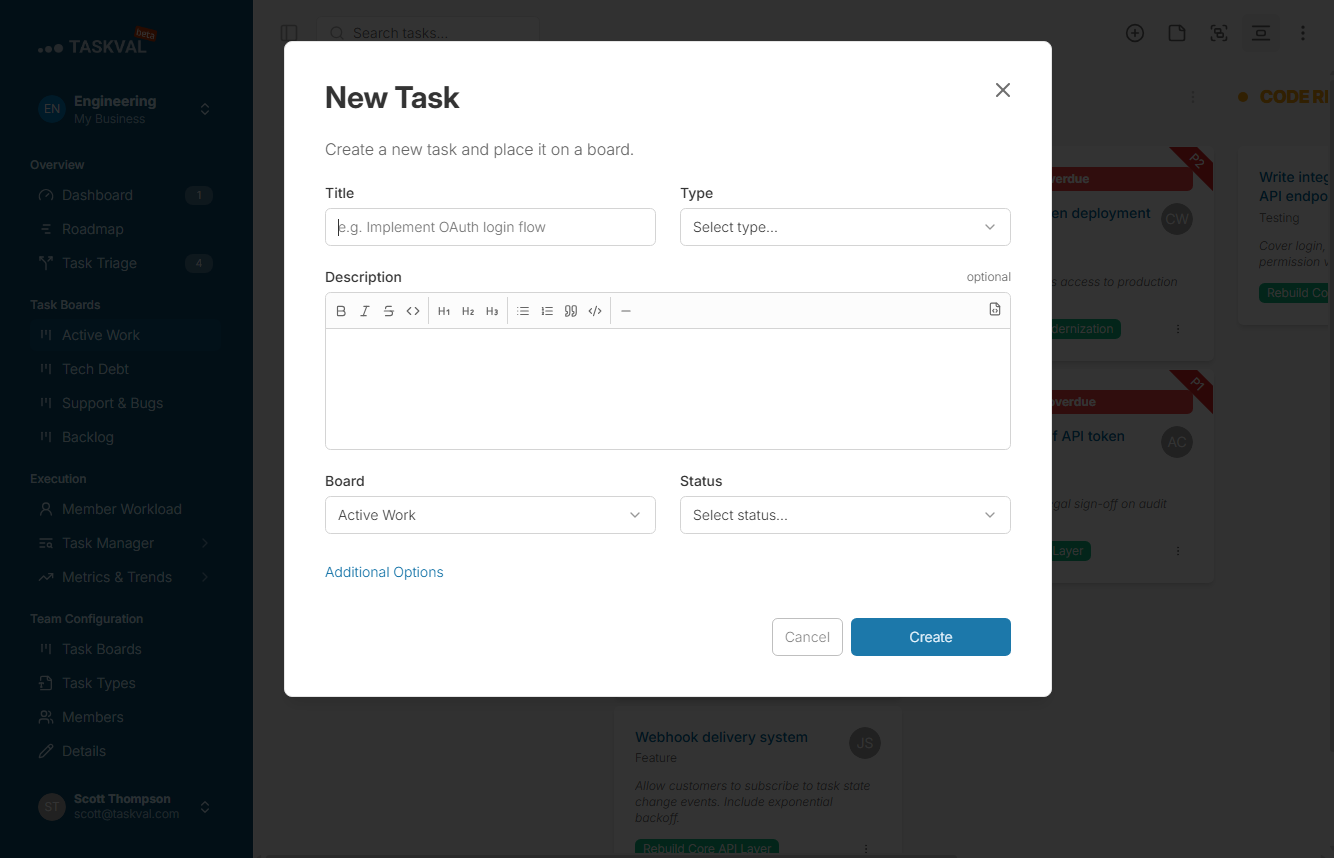
New Task
Create a task from anywhere in the platform - assign it, pick a type, and link it to an initiative in seconds.
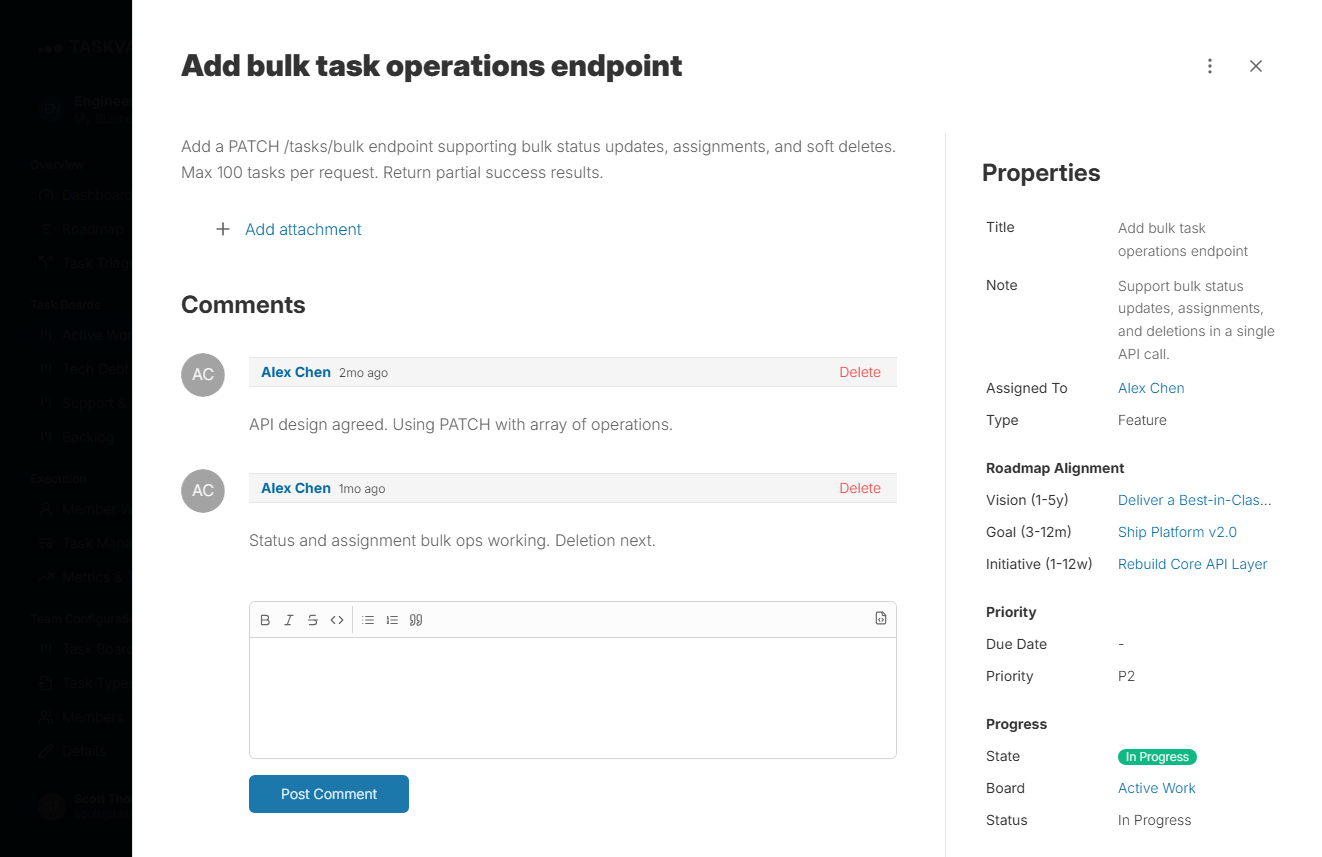
Task Detail
Open any task to see its full detail: description, assignee, type, initiative link, status, and activity.
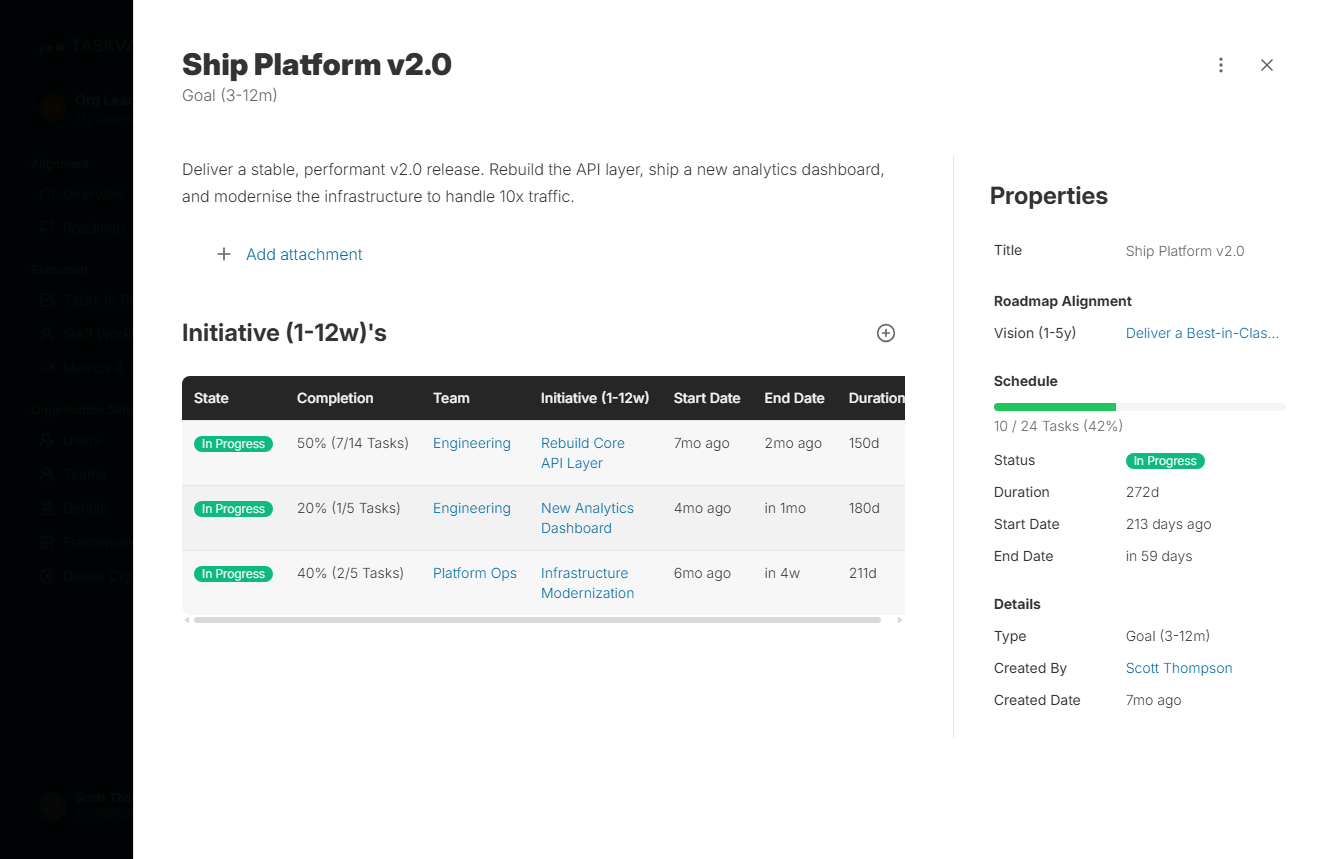
Roadmap - Goal View
The org roadmap with goals in focus. See how the company vision breaks down into goals, and how those goals connect to team initiatives across the organisation.
Organisation
Company Wide Strategy and Alignment
The organisation view gives leadership real time visibility across all teams. Set the strategy, customise the framework language, and watch alignment data come back from every team automatically.
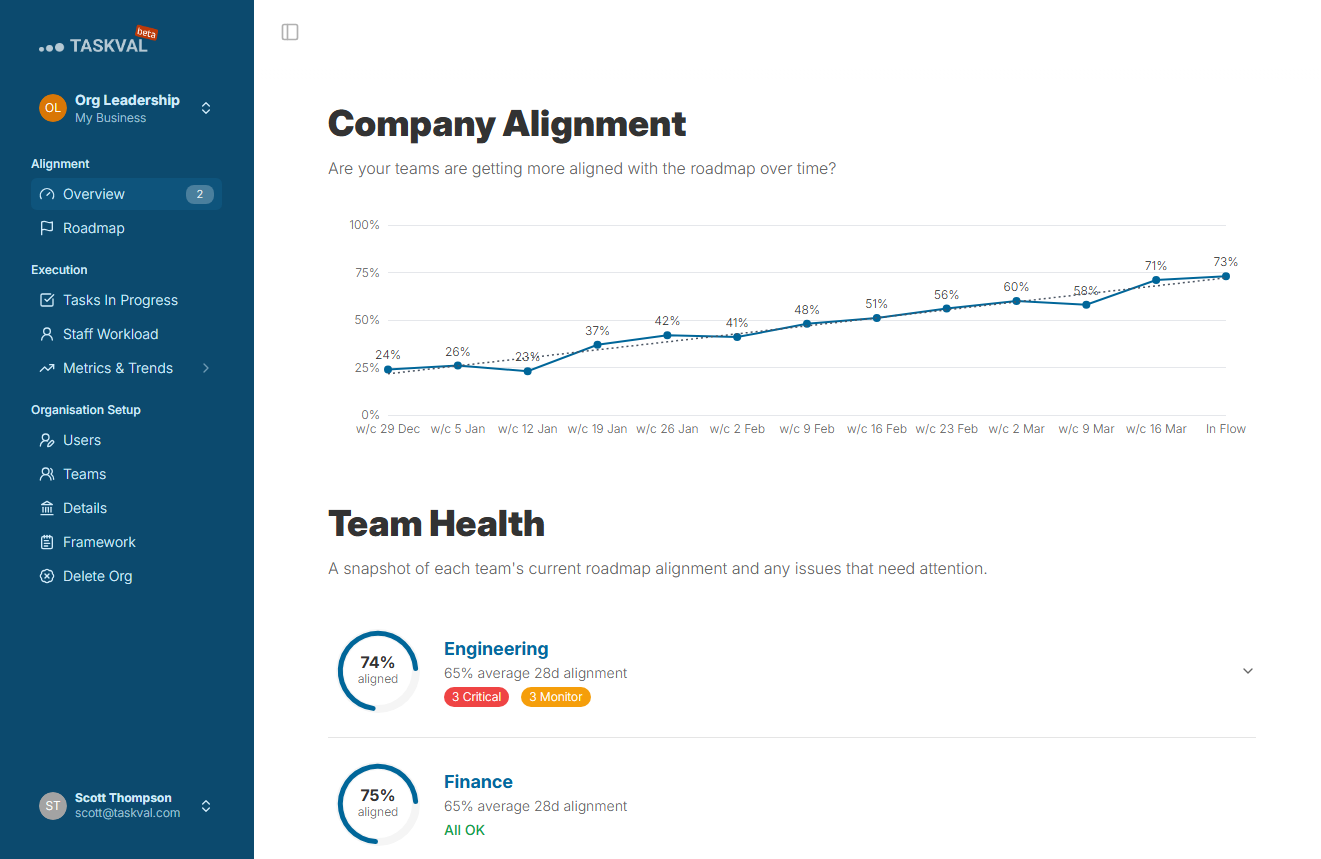
Alignment Dashboard
See every team's proactive vs reactive work split at a glance - one screen tells leadership whether the company is advancing or firefighting.
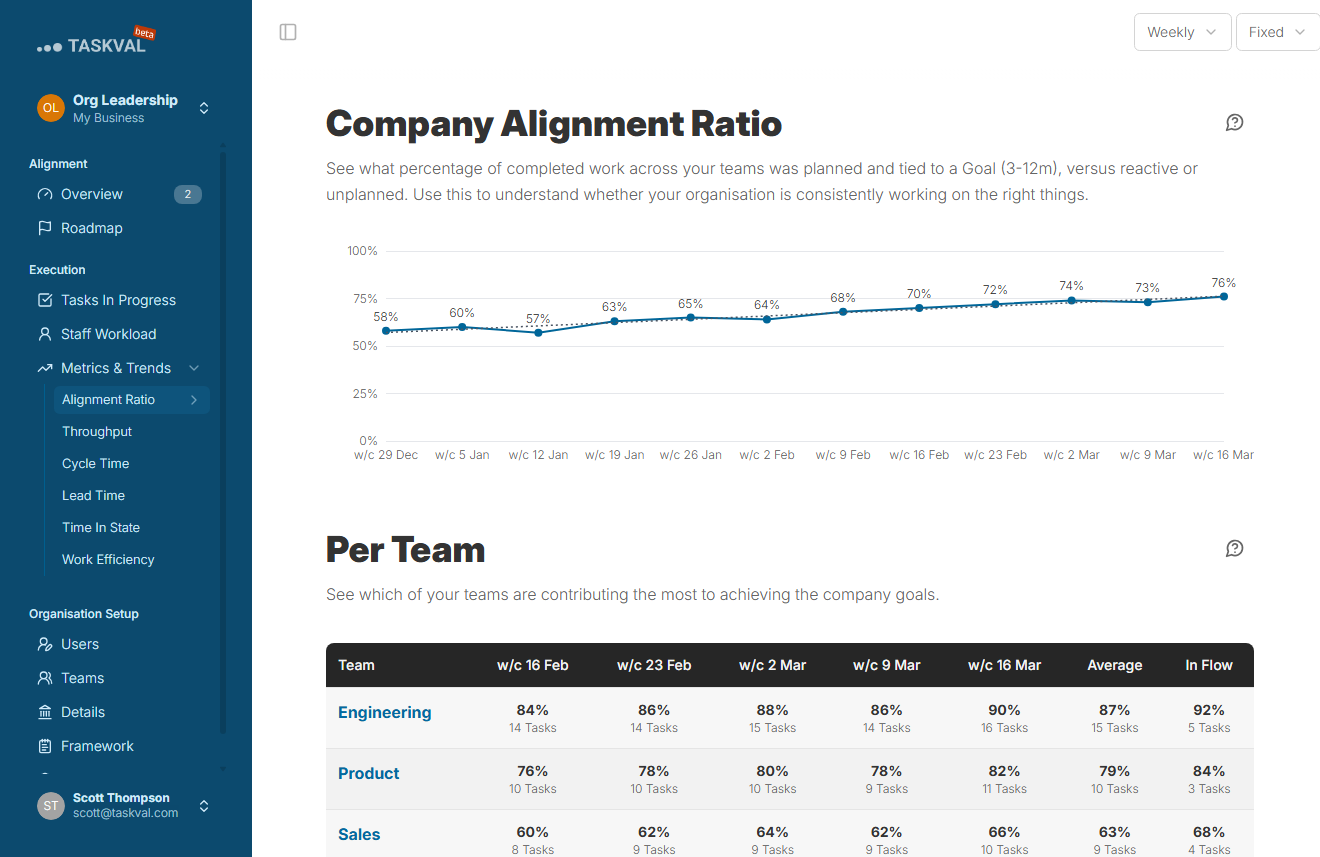
Alignment Ratio
The single number every CEO has wanted: live percentage of company work that is advancing your goals, with zero extra effort from teams.
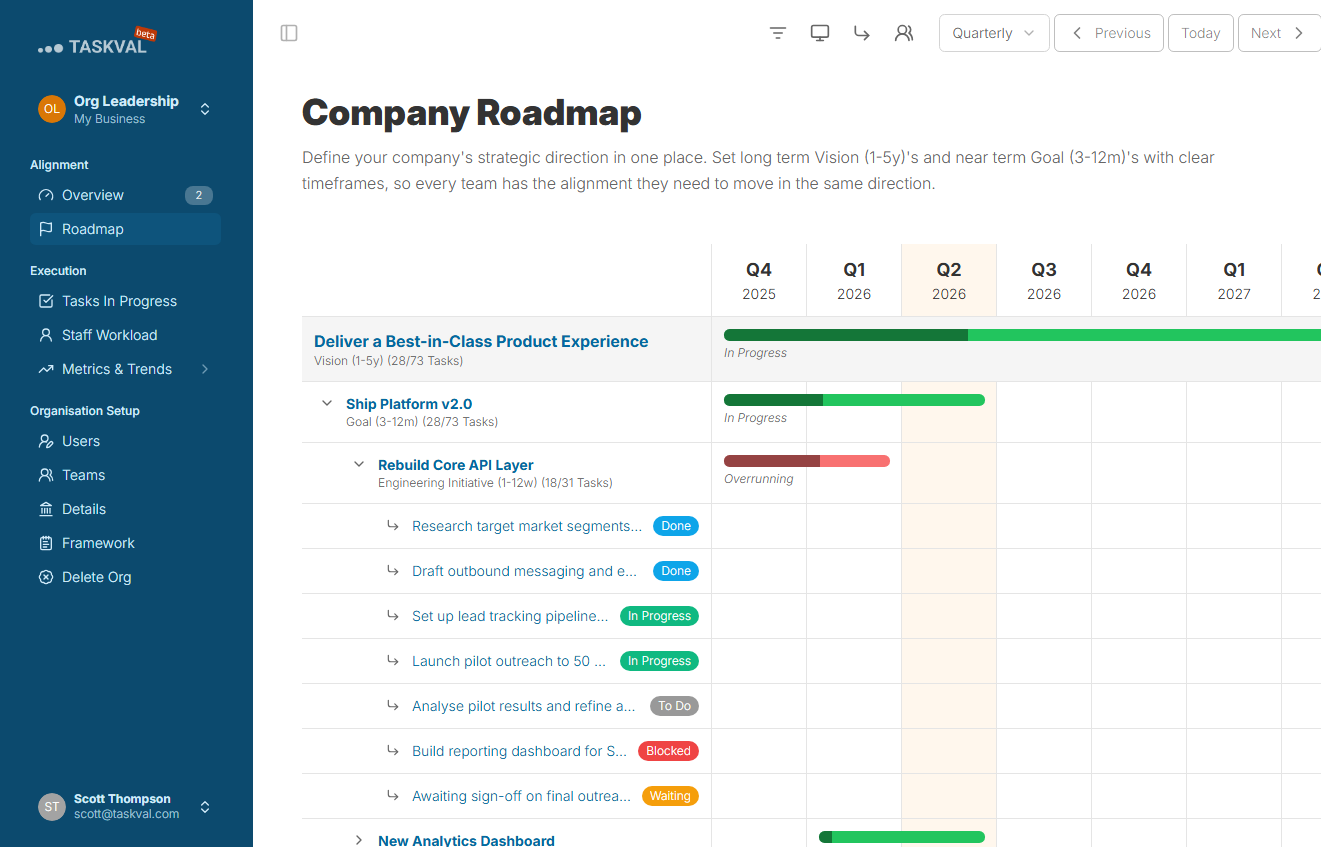
Organisation Roadmap
The full connected view from company vision down to team initiatives. See how strategy is structured across all your teams.
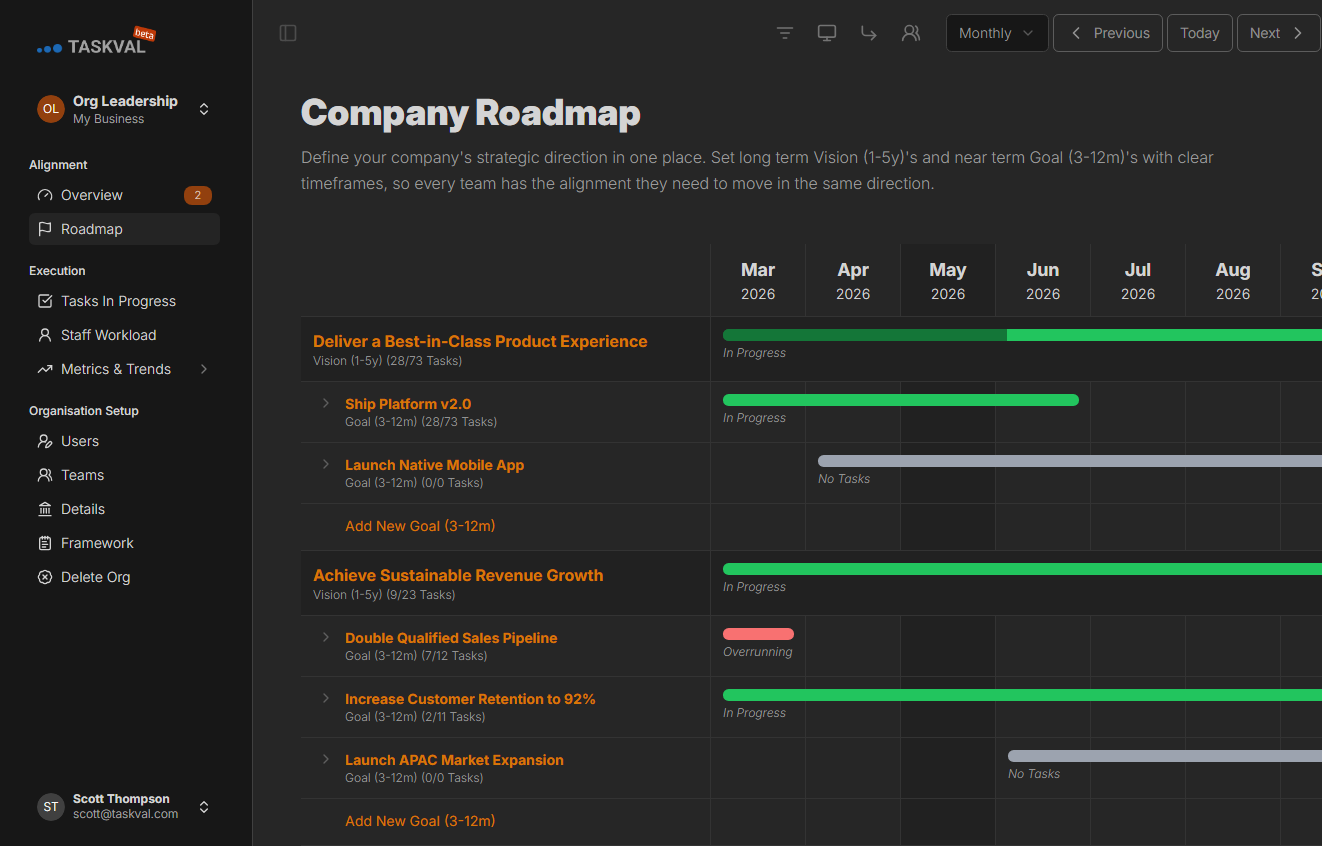
Roadmap (Dark Mode)
Every screen in the platform honours your colour preference - light or dark, the experience is consistent throughout.
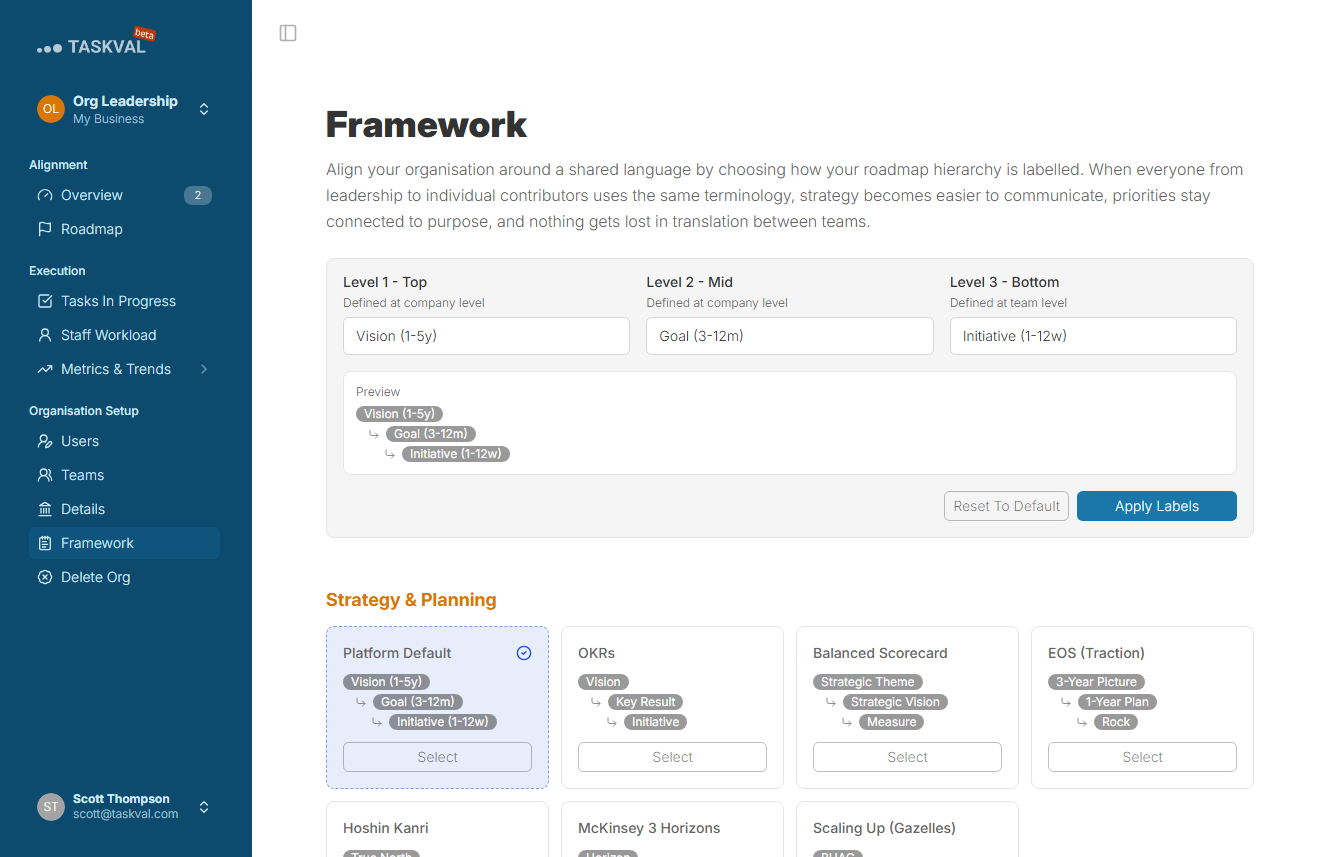
Framework Customisation
Rename Vision, Goal, and Initiative to the language your company already speaks. Set it once and the whole platform reflects it.
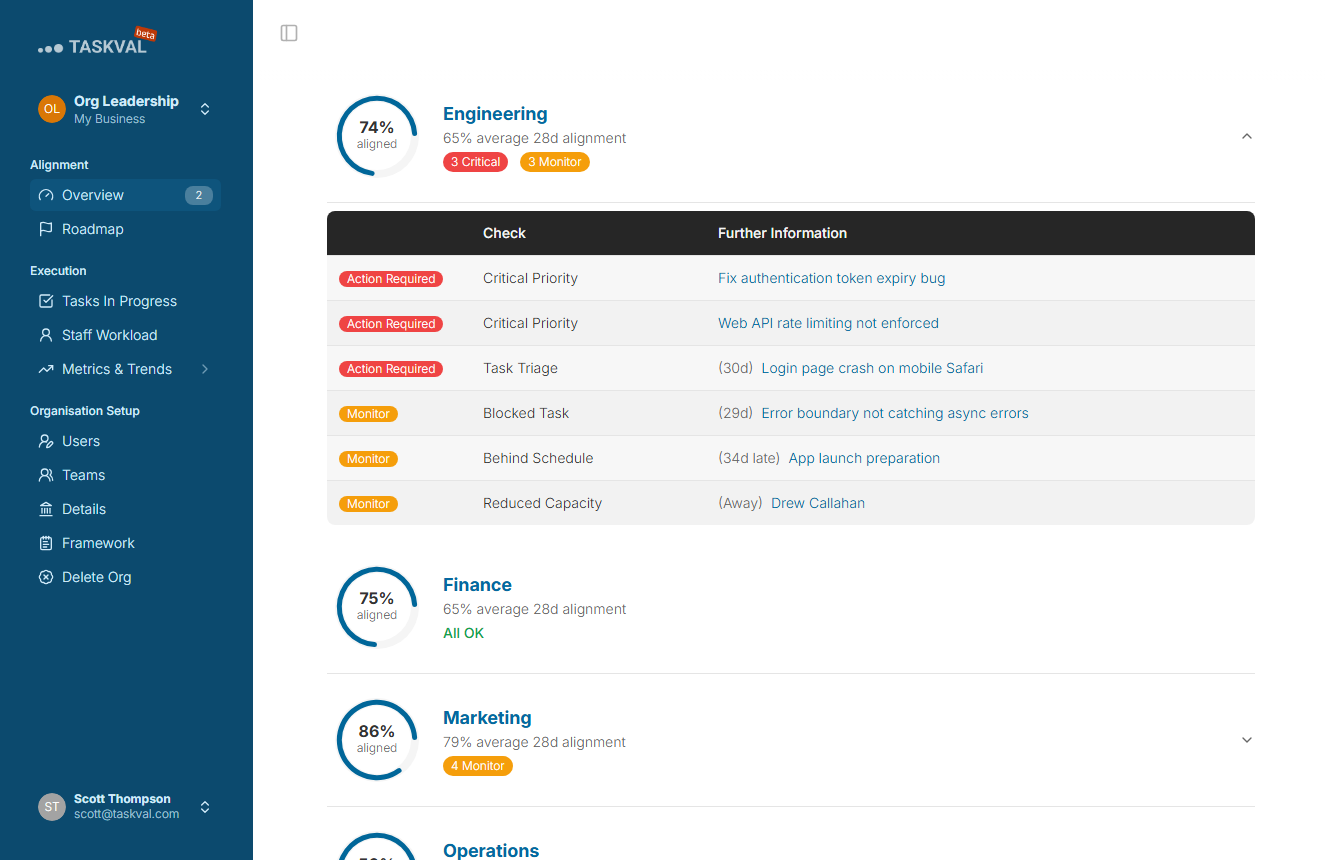
Team Health
A cross-team health summary at the org level. Alignment scores and workload indicators across all teams in a single dashboard.
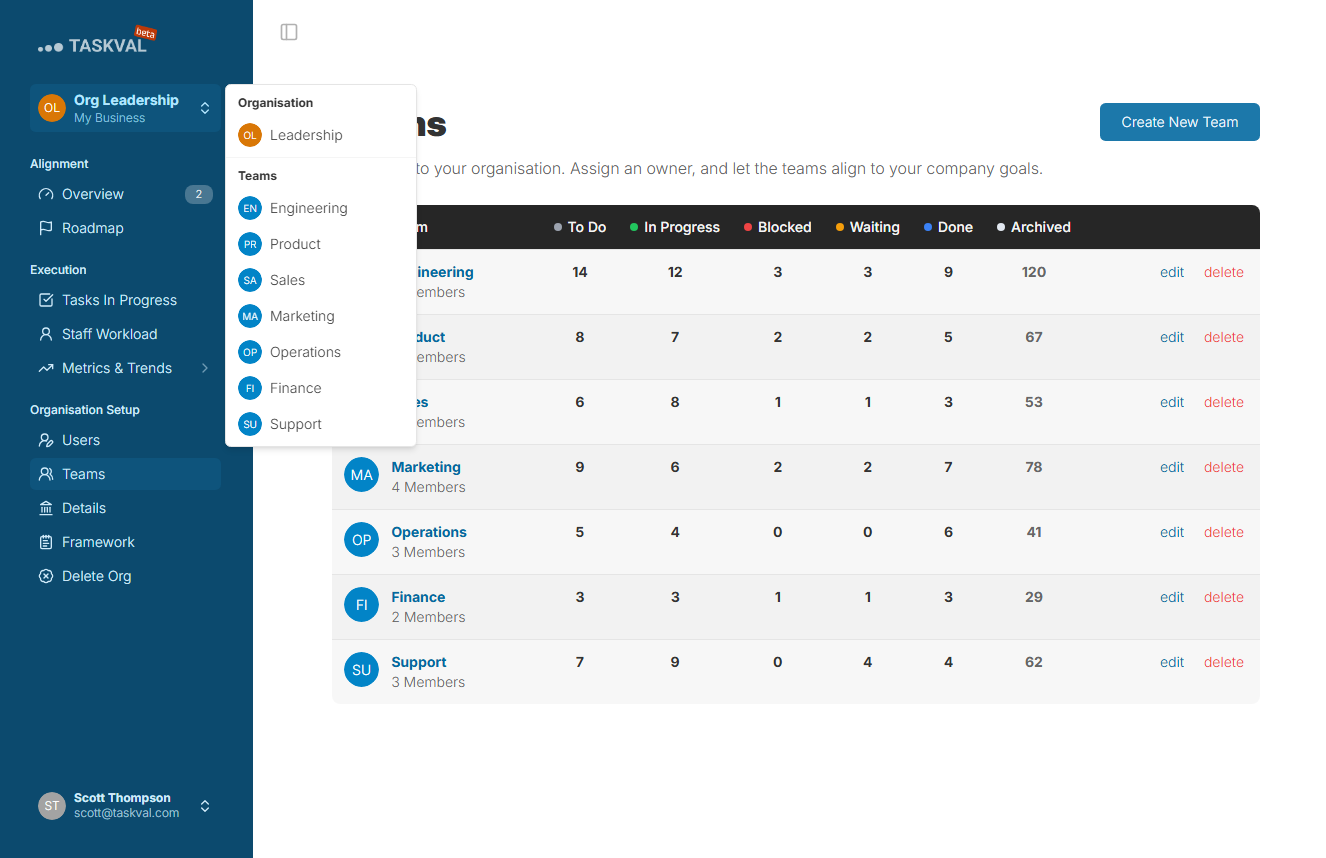
Team Navigation
Switch between teams from the organisation view - useful for leaders and managers overseeing multiple teams.
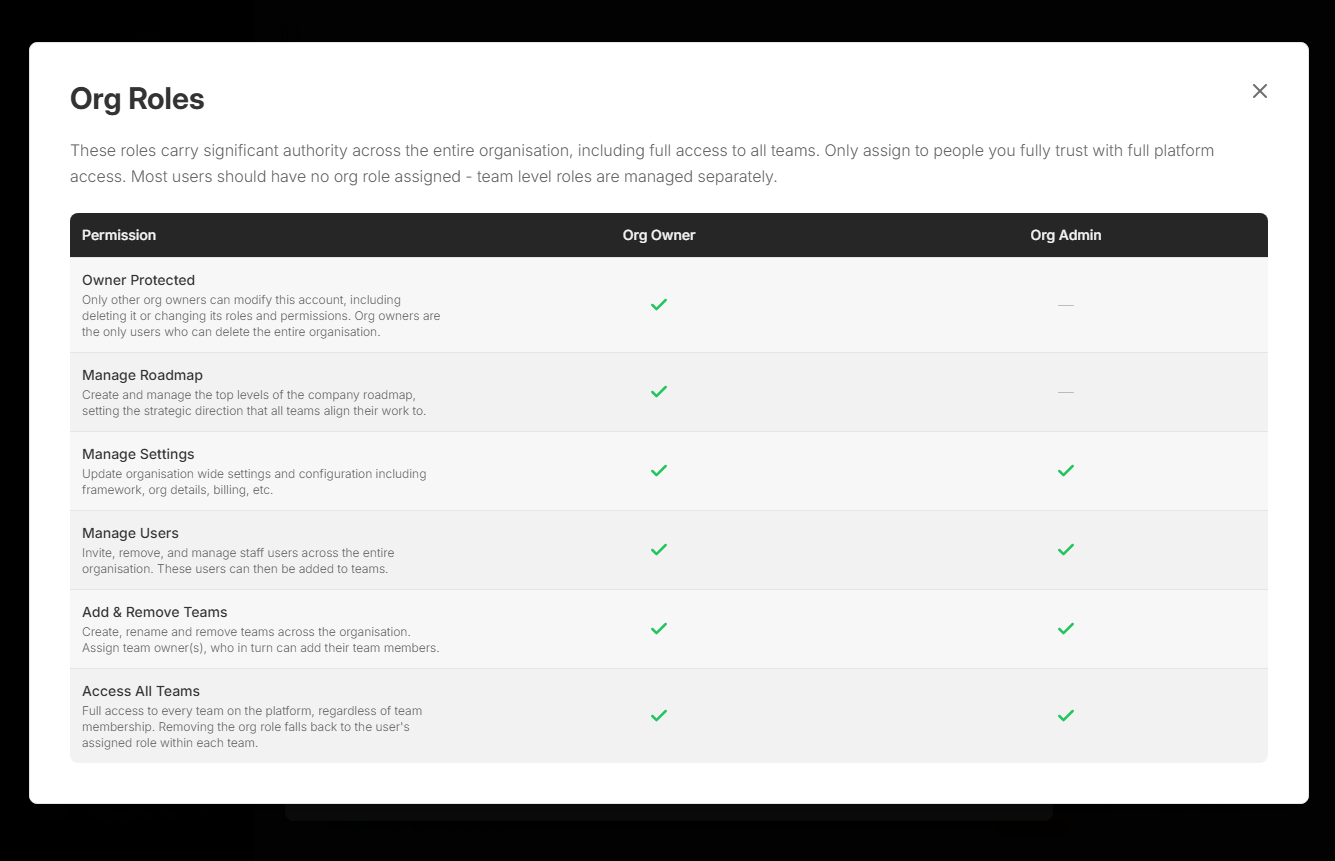
Organisation Roles
Define who can manage the strategy, administer the org, or view-only. Full role-based access control at the organisation level.
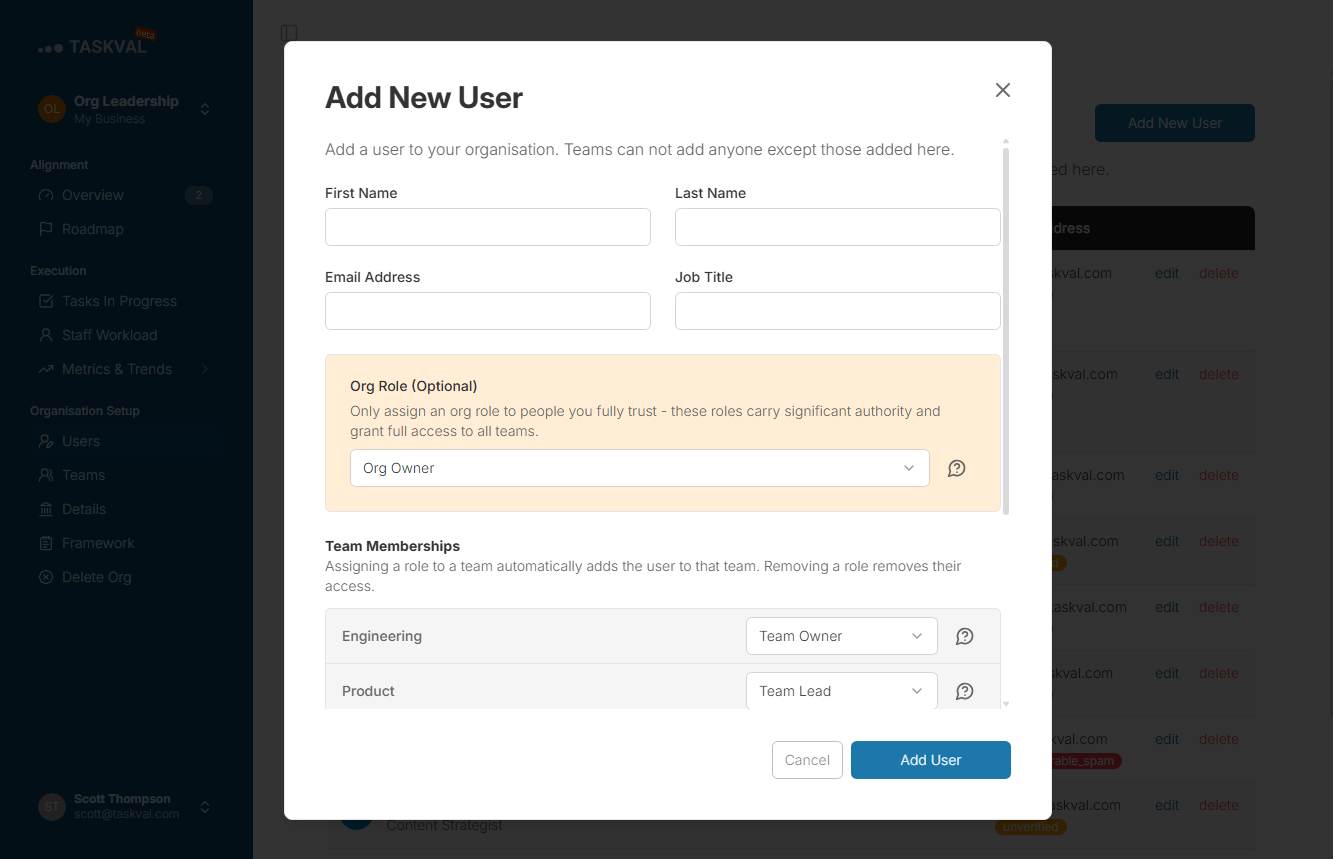
User Role Assignment
Assign and update roles for individual users across the organisation. Grant the right access without touching each team separately.
Team
Kanban Boards, Metrics and Team Management
Teams work inside familiar kanban boards with everything needed to manage work, track alignment, and measure performance. No new habits, no training required.
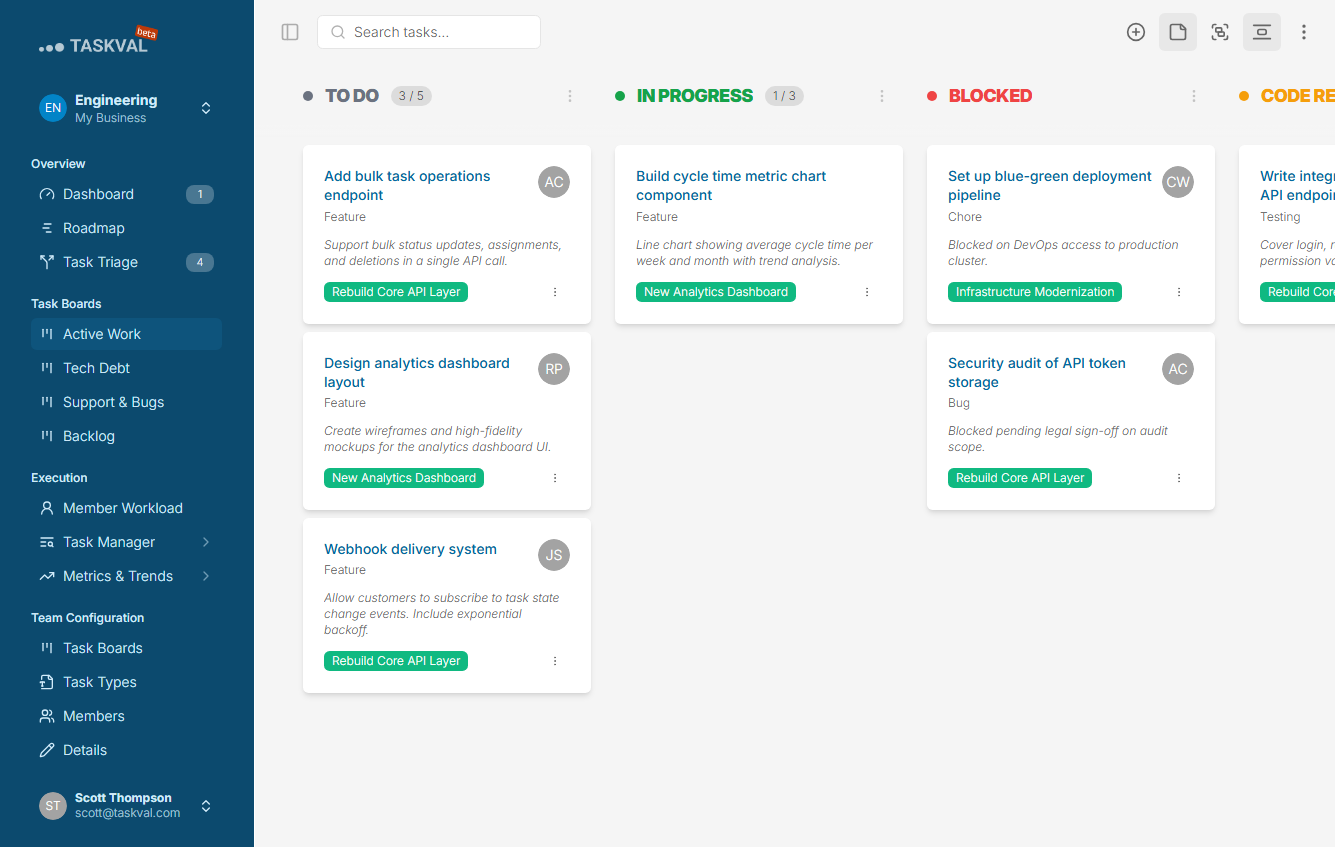
Kanban Board
The core of daily team work. Drag tasks between columns, filter the board, and see at a glance what work is proactive vs reactive.
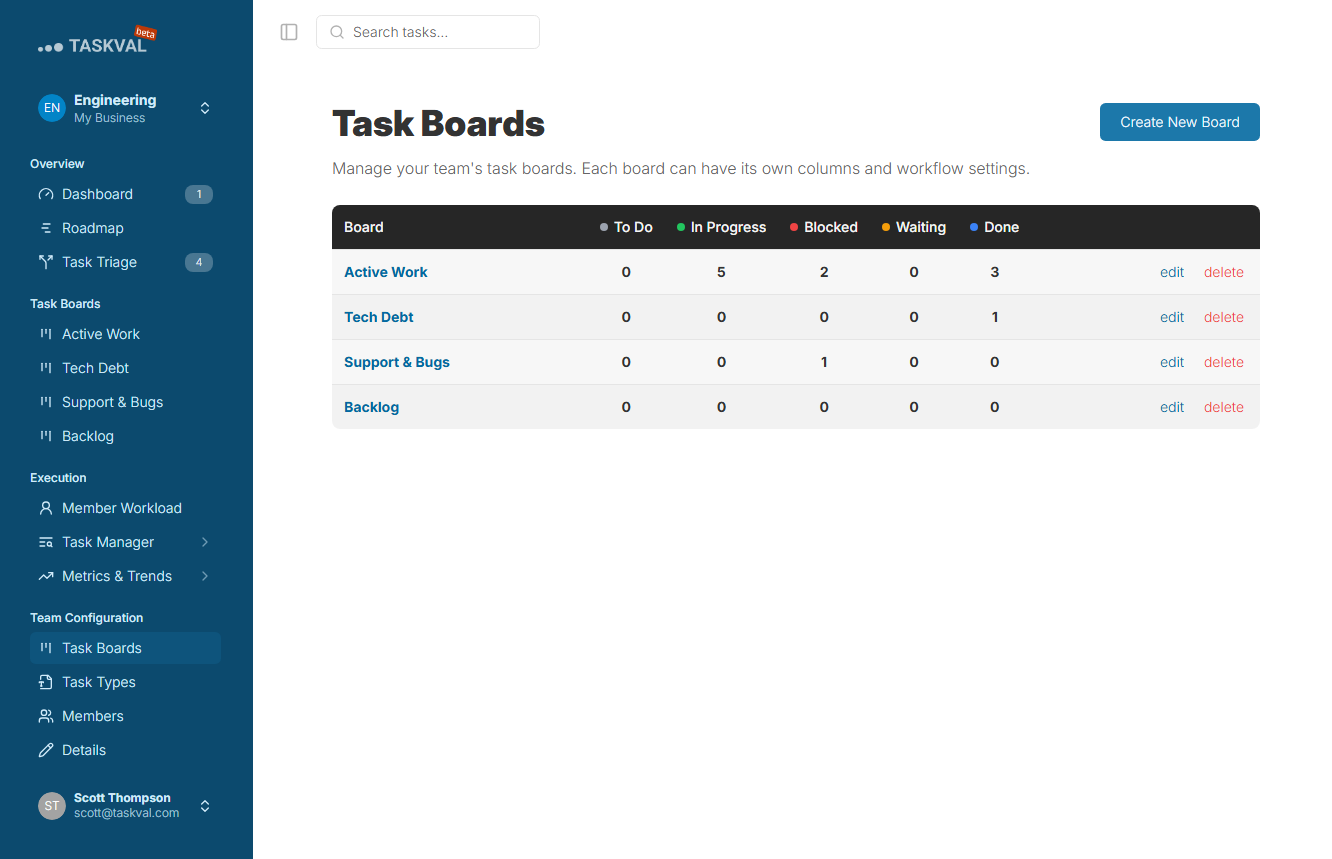
Board Management
Configure your workflow columns, statuses, and labels to match how your team actually works.
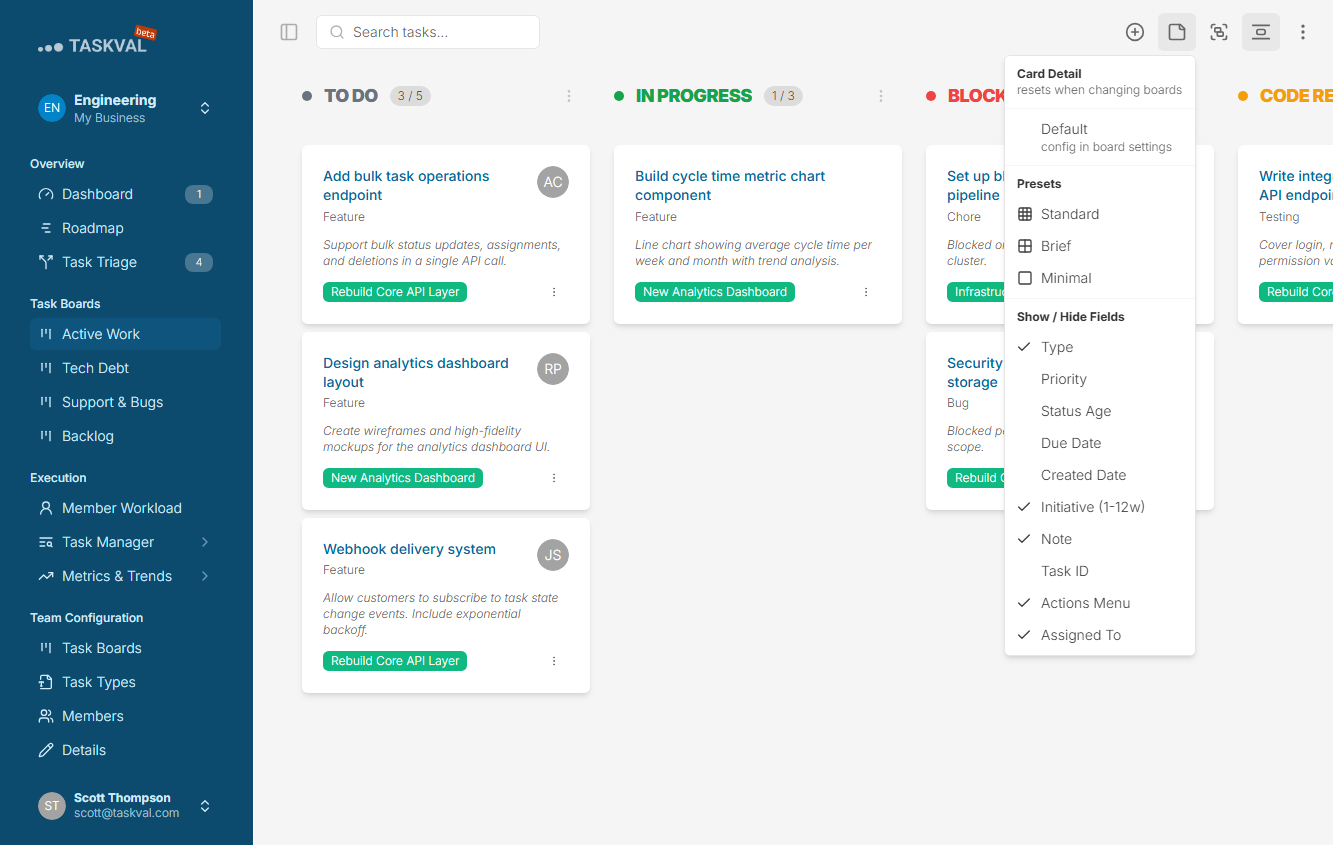
Custom Card Details
Surface the fields that matter on the card face itself - no digging into a task to see what you need during a standup.
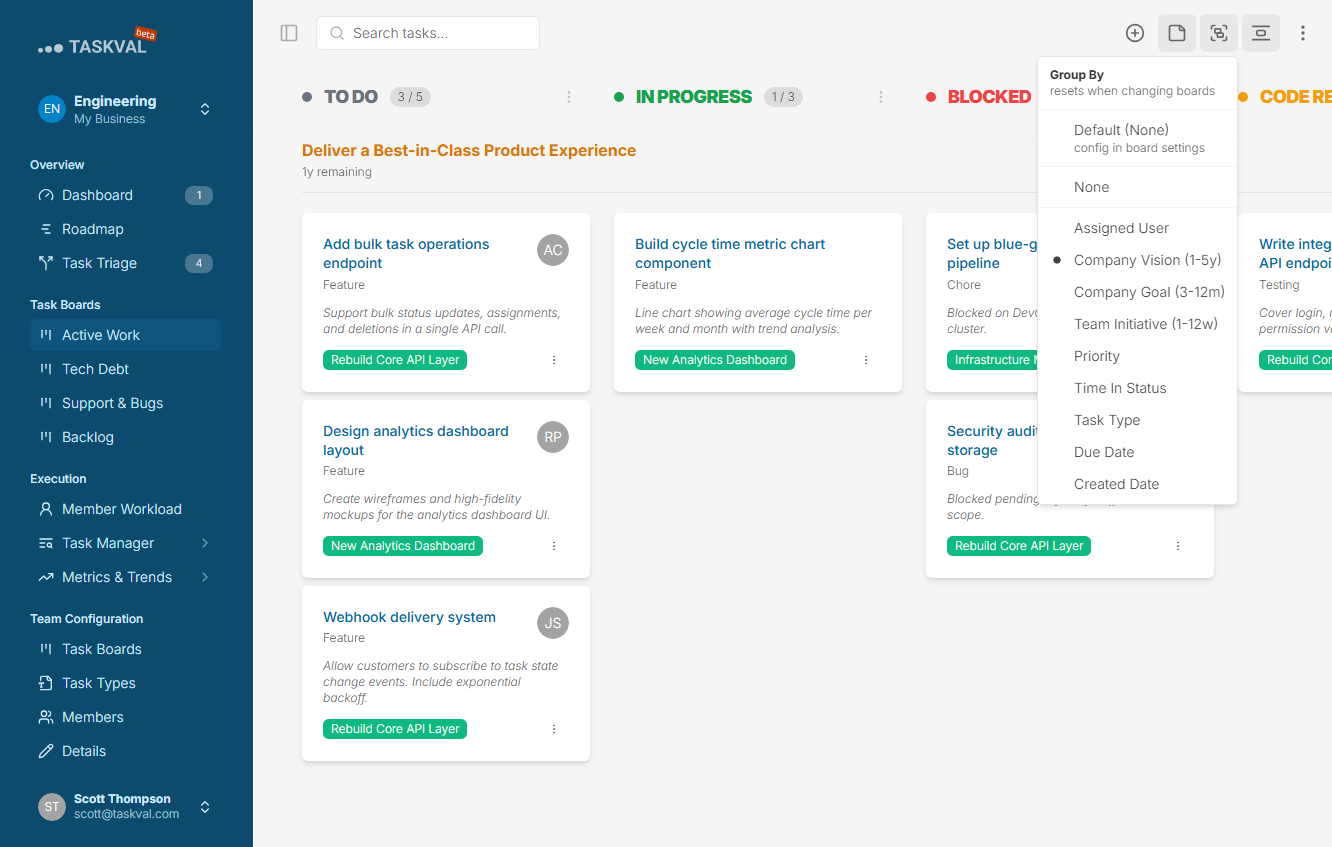
Group By
Reorganise the board by assignee, task type, initiative, or custom field without changing the default view for the rest of the team.
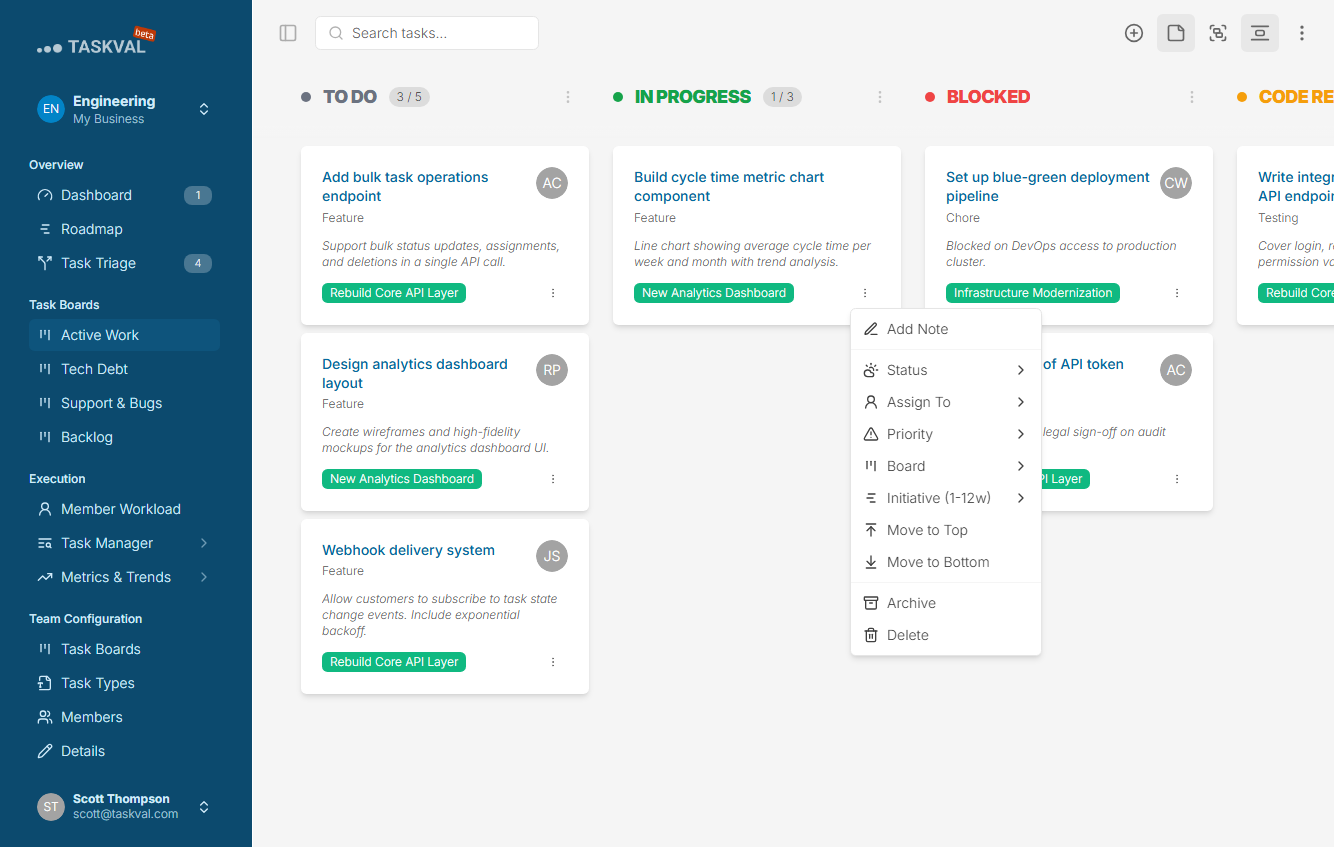
Quick Card Actions
Assign, move, or archive a task directly from the card - no need to open the full detail view for common actions.
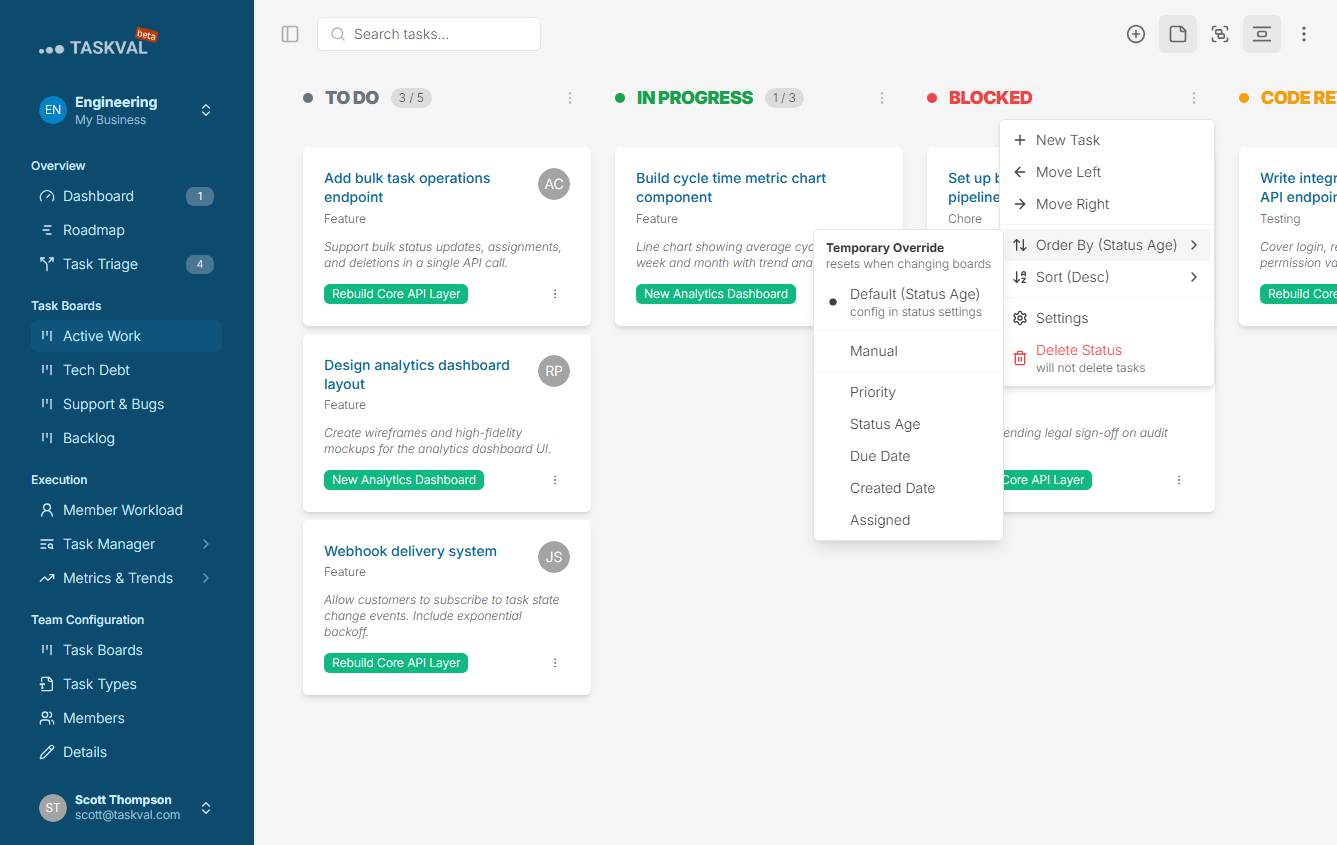
Temporary Views
Create a focused filtered view for a sprint, standup, or review. It is visible only to you and gone when you are done.
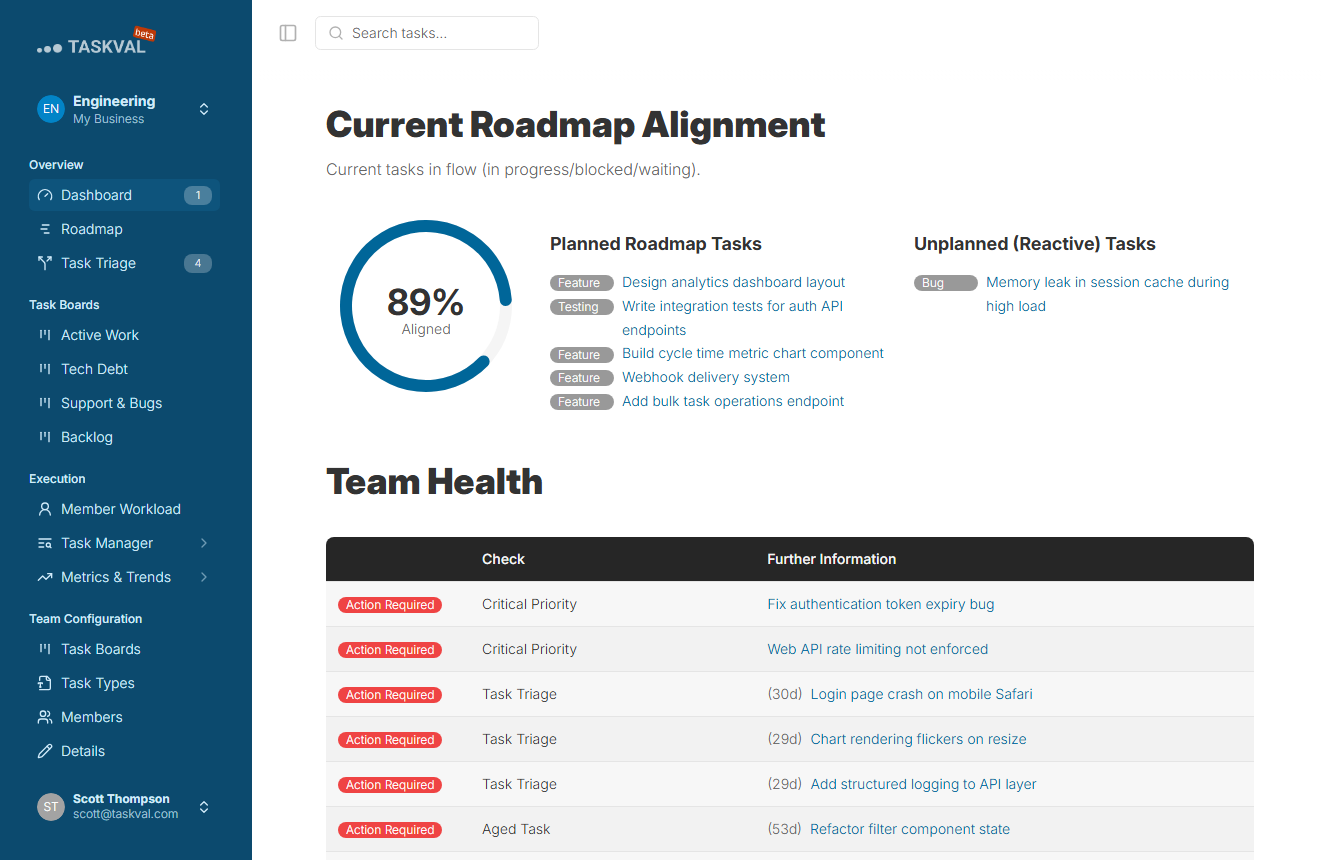
Team Alignment Dashboard
The team-level alignment view: proactive vs reactive split in detail, scoped entirely to this team's work.
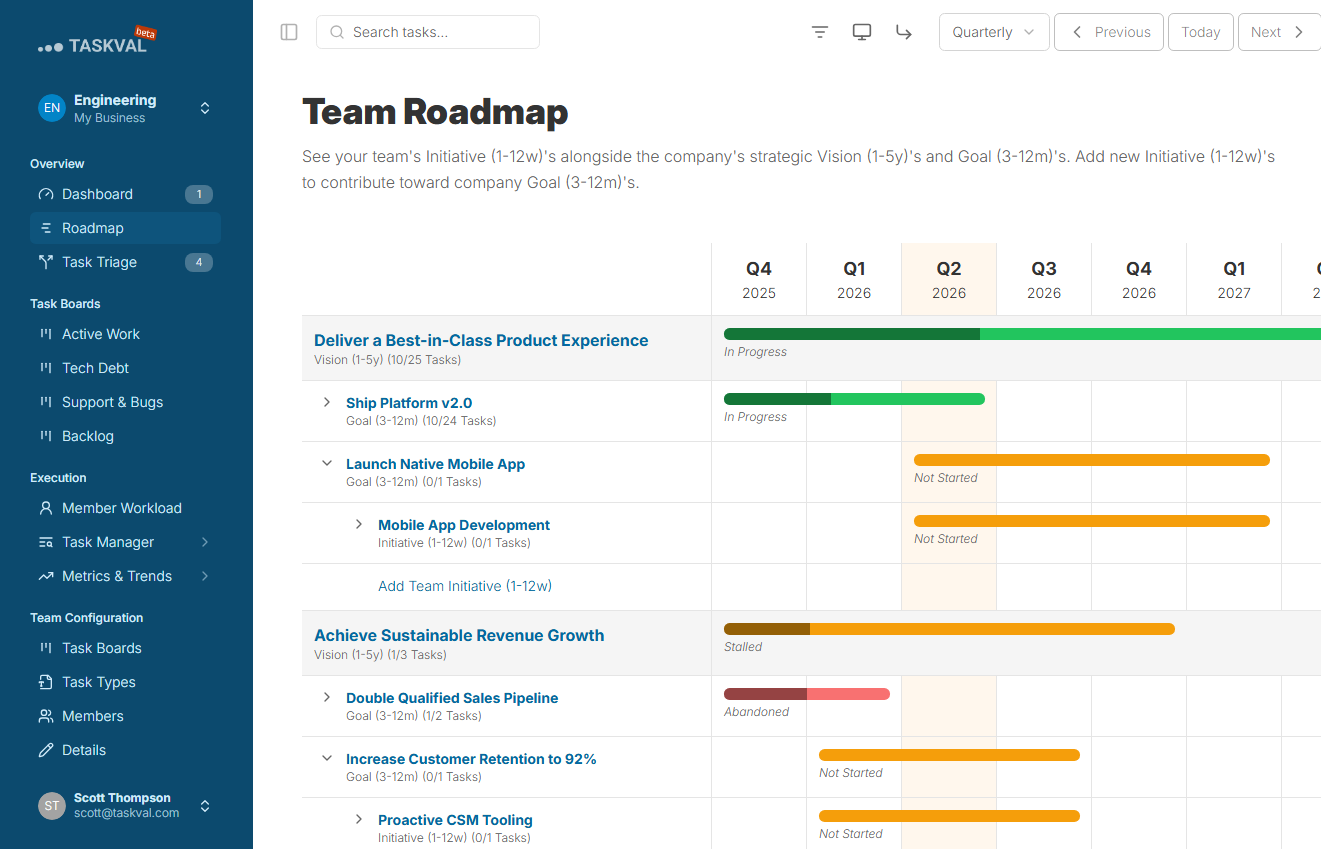
Team Roadmap
How this team's initiatives connect to the org goals. The strategy is never more than one click away from the board.
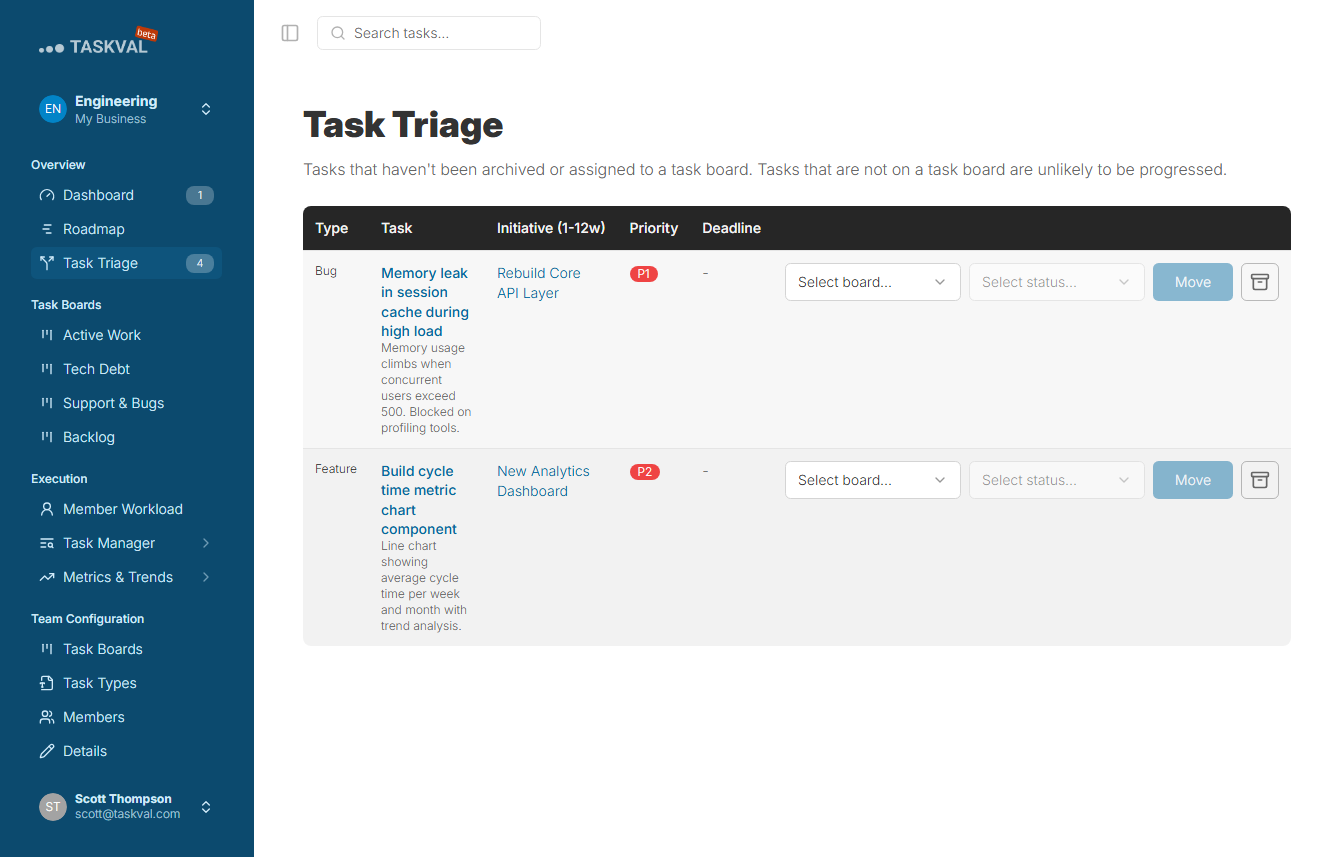
Task Triage
Review unlinked or unassigned tasks in a batch. Link them to initiatives, assign owners, and keep the backlog clean.
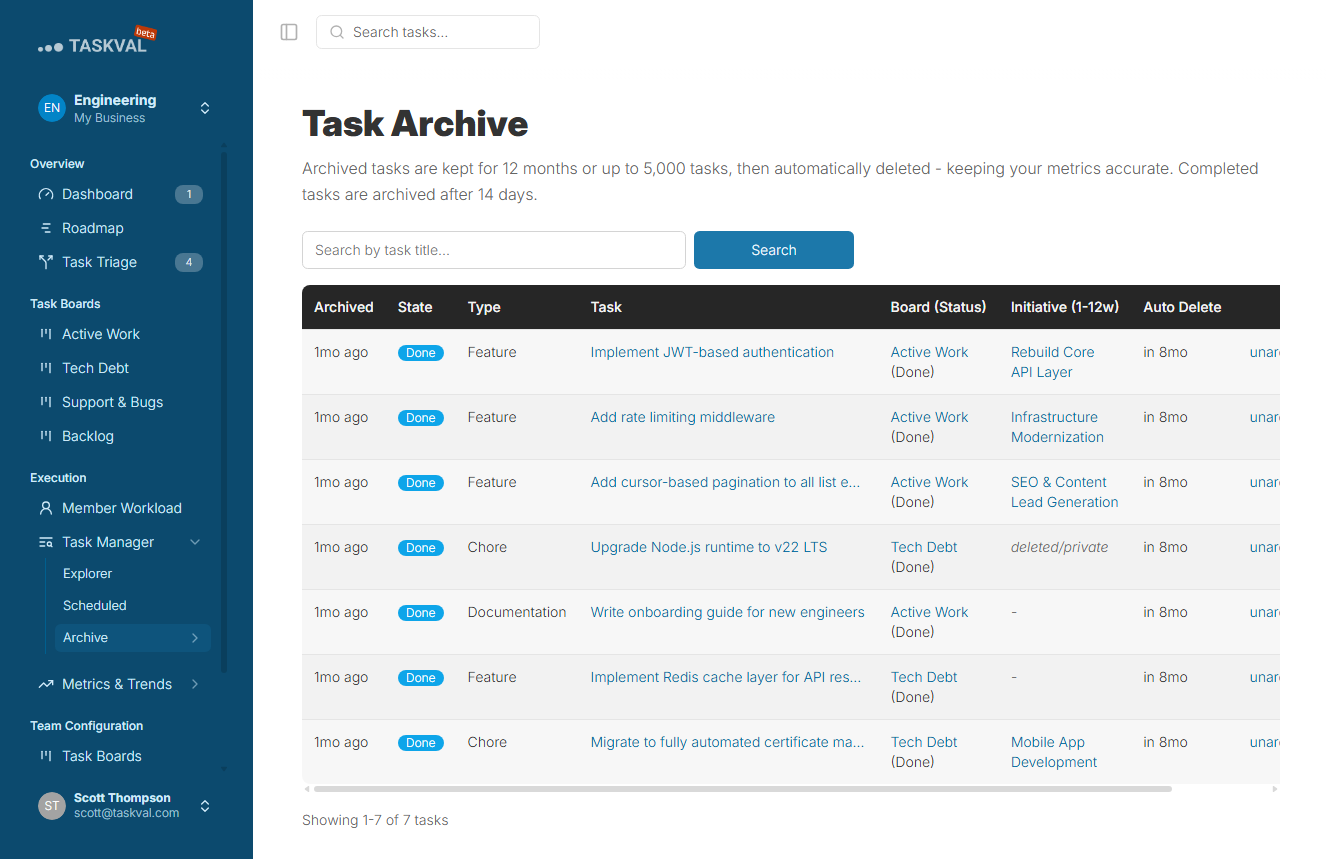
Task Archive
A searchable history of completed work. Everything the team has shipped is preserved so context is never lost.
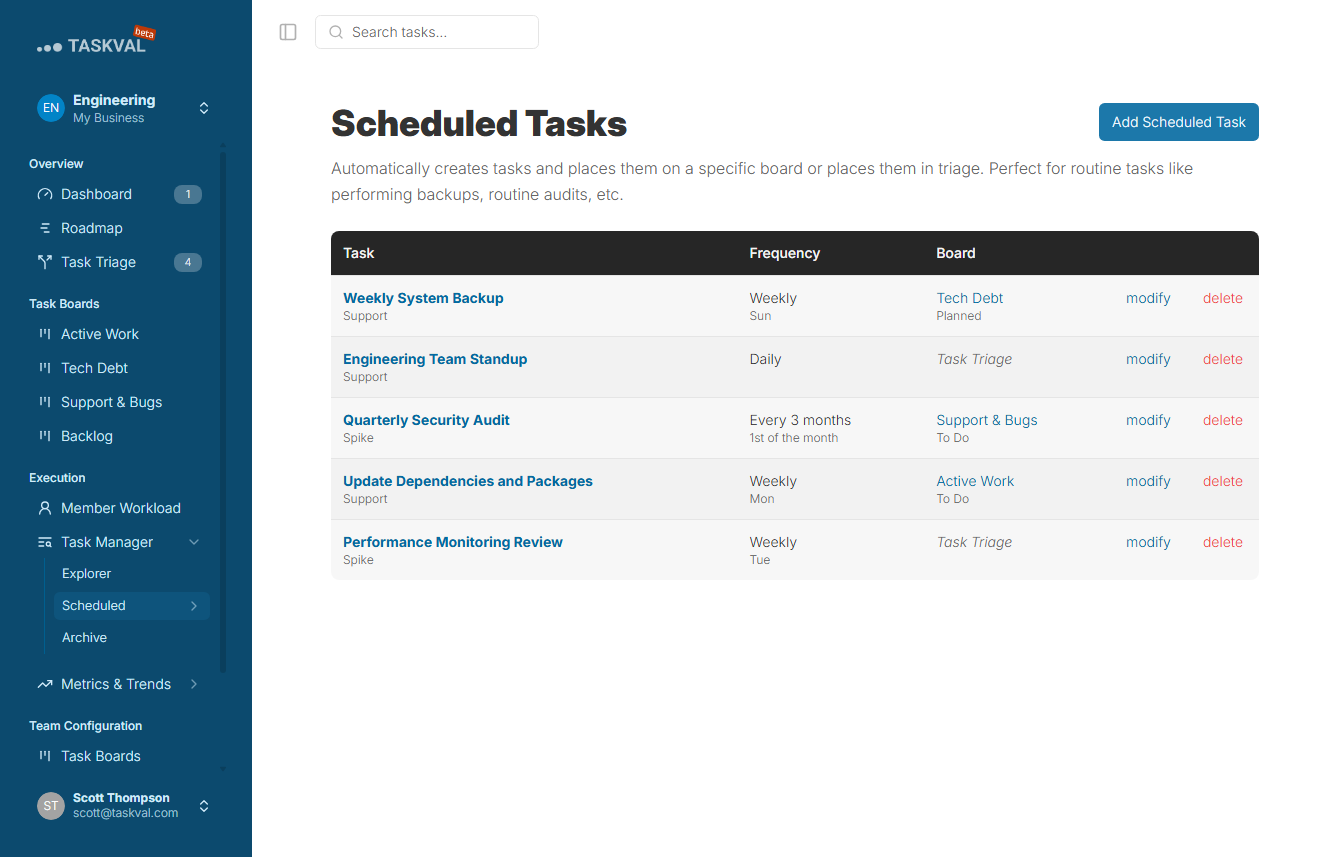
Scheduled Tasks
Recurring tasks that auto-create on your chosen cadence - daily standups, weekly reports, monthly reviews, on autopilot.
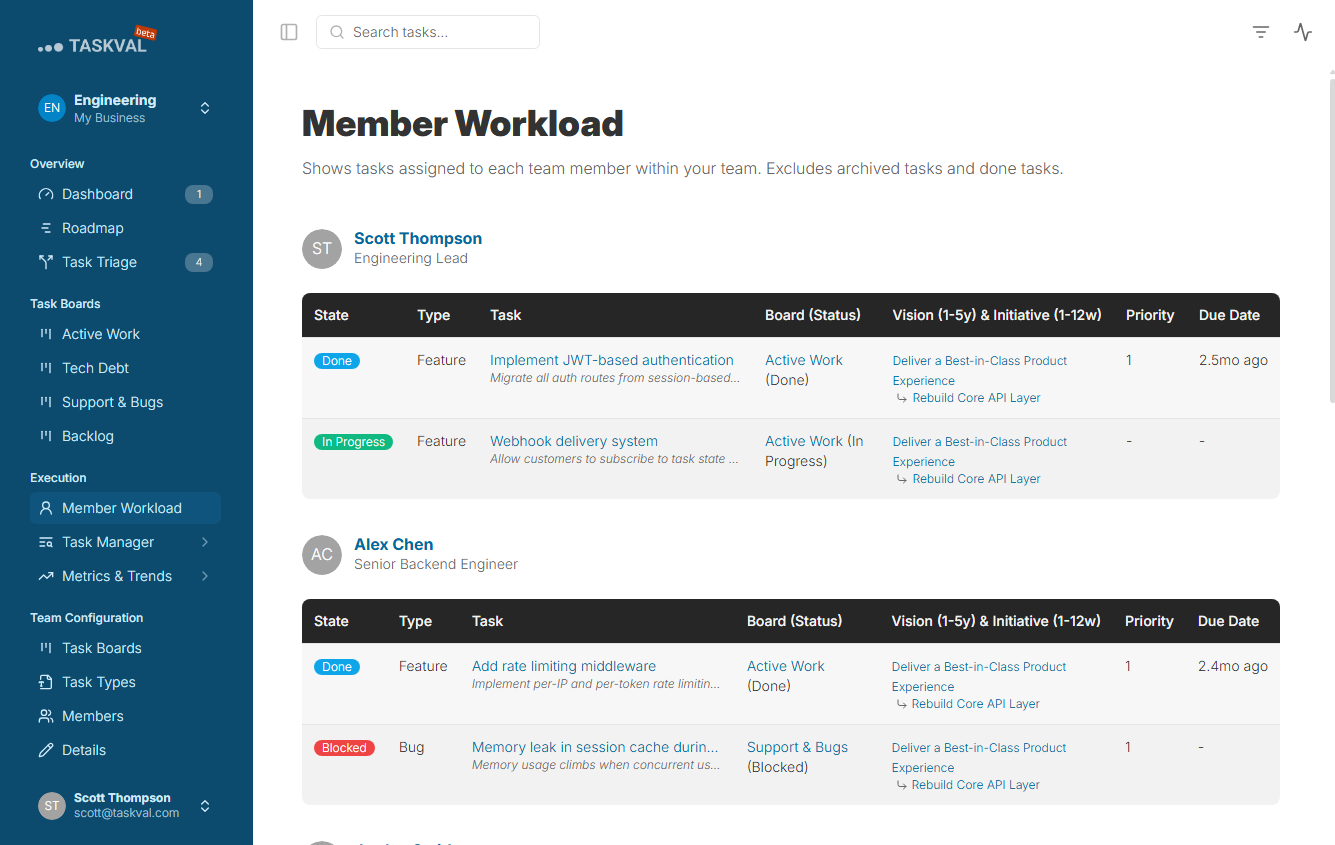
Member Workload
Per-person task distribution across the team. See who is carrying too much and who has capacity before the next sprint.
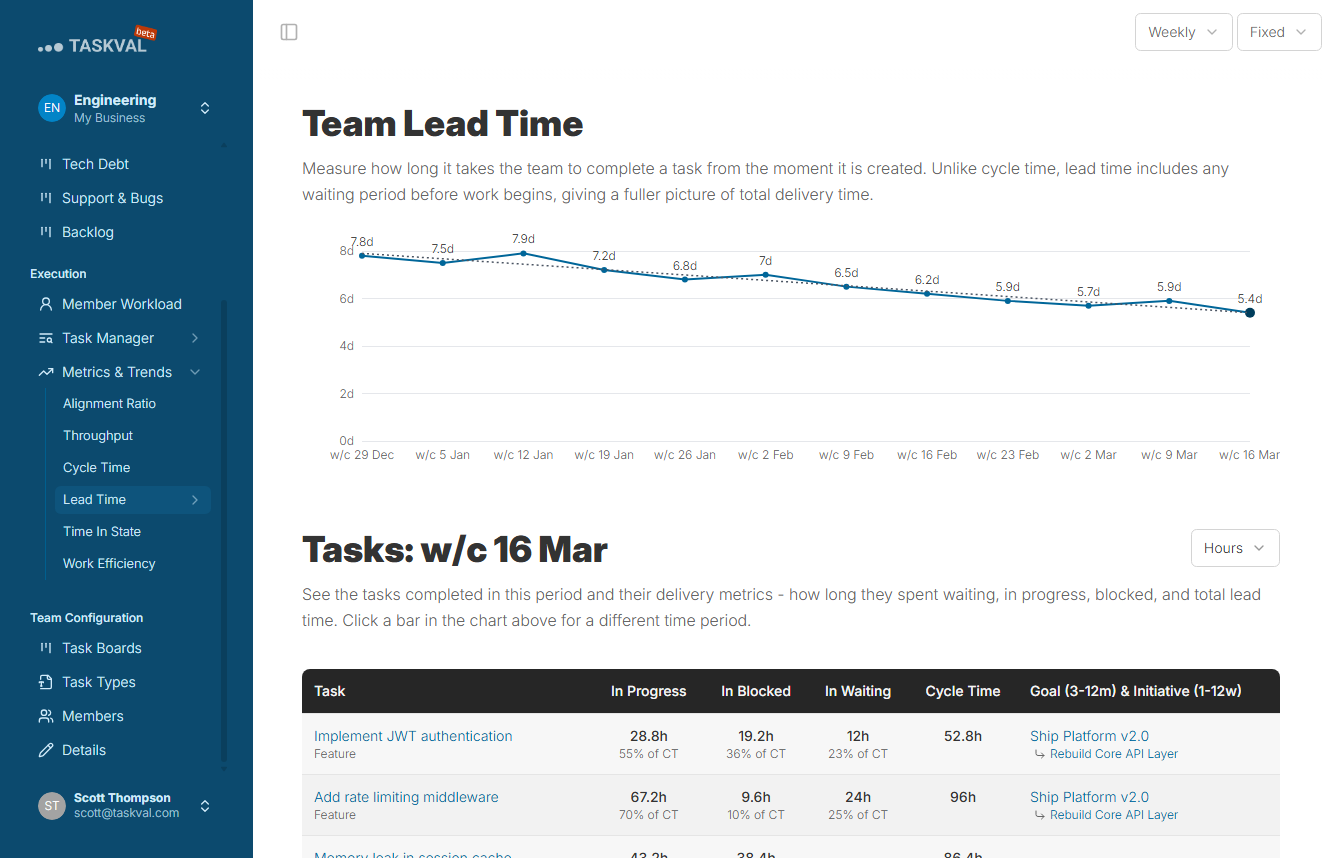
Lead Time Metrics
Cycle time and lead time charts built from real task data. Understand how long work takes from first touch to done.
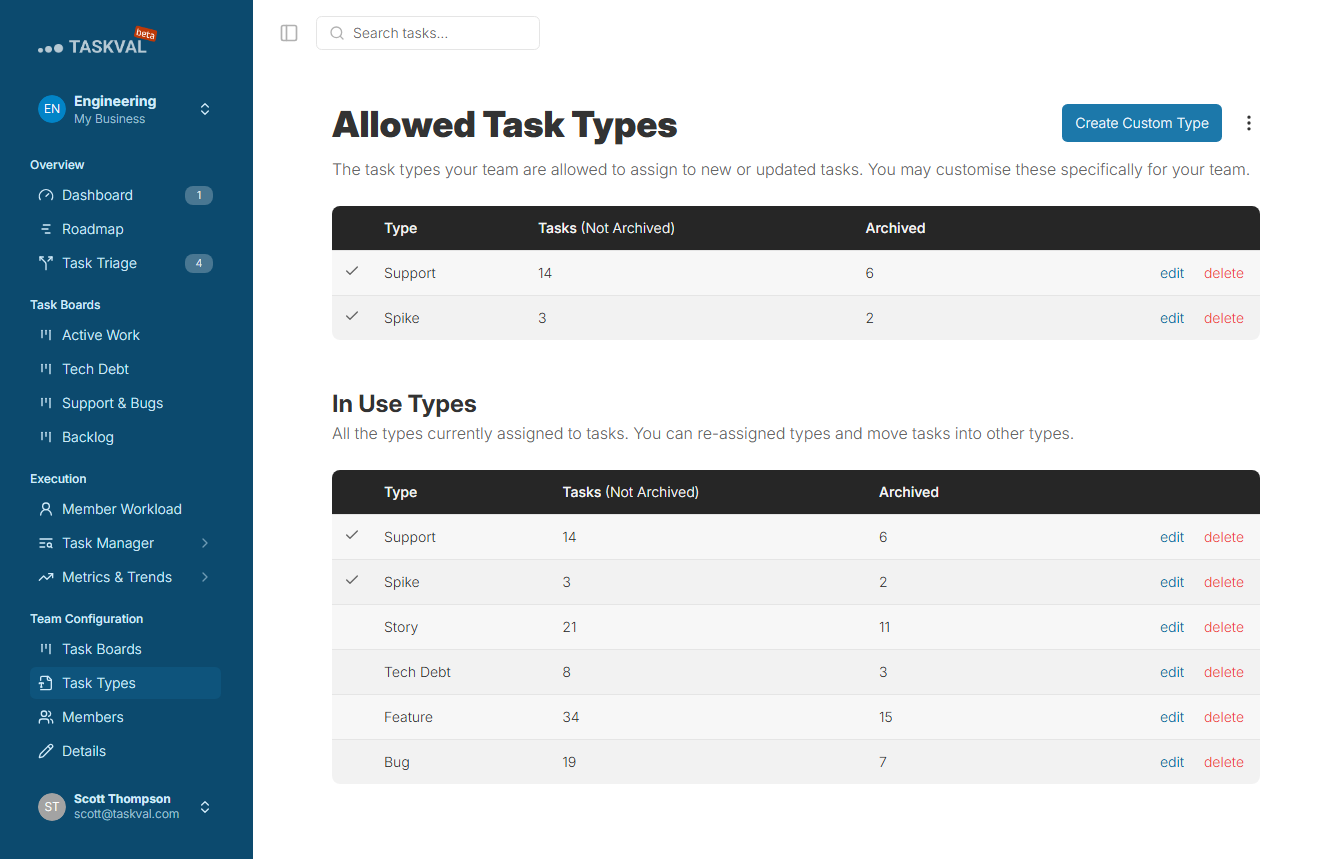
Custom Task Types
Define the task types that match your workflow - Bug, Feature, Spike, Support, or anything specific to your team.
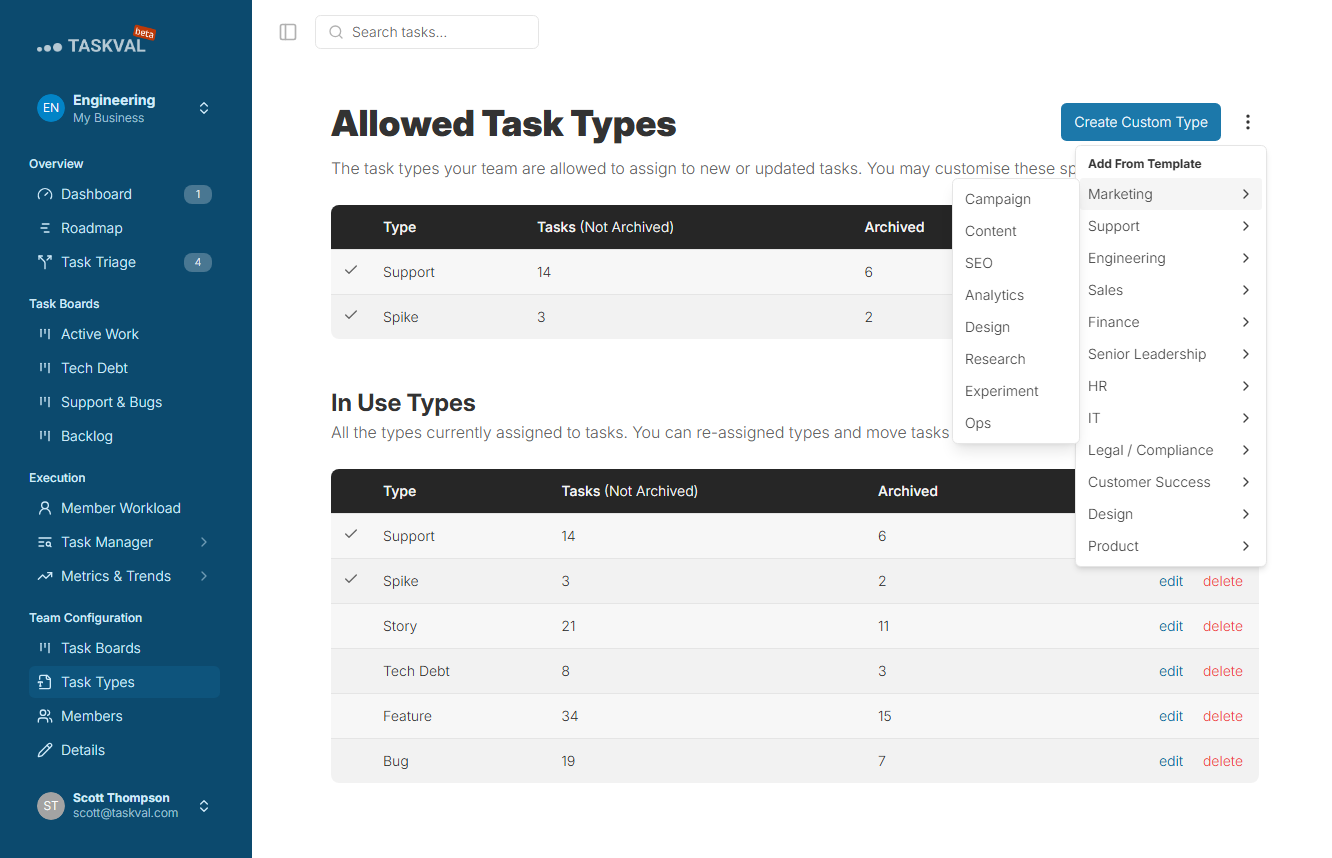
Predefined Task Types
Start with a sensible set of task types out of the box and customise from there as your workflow matures.
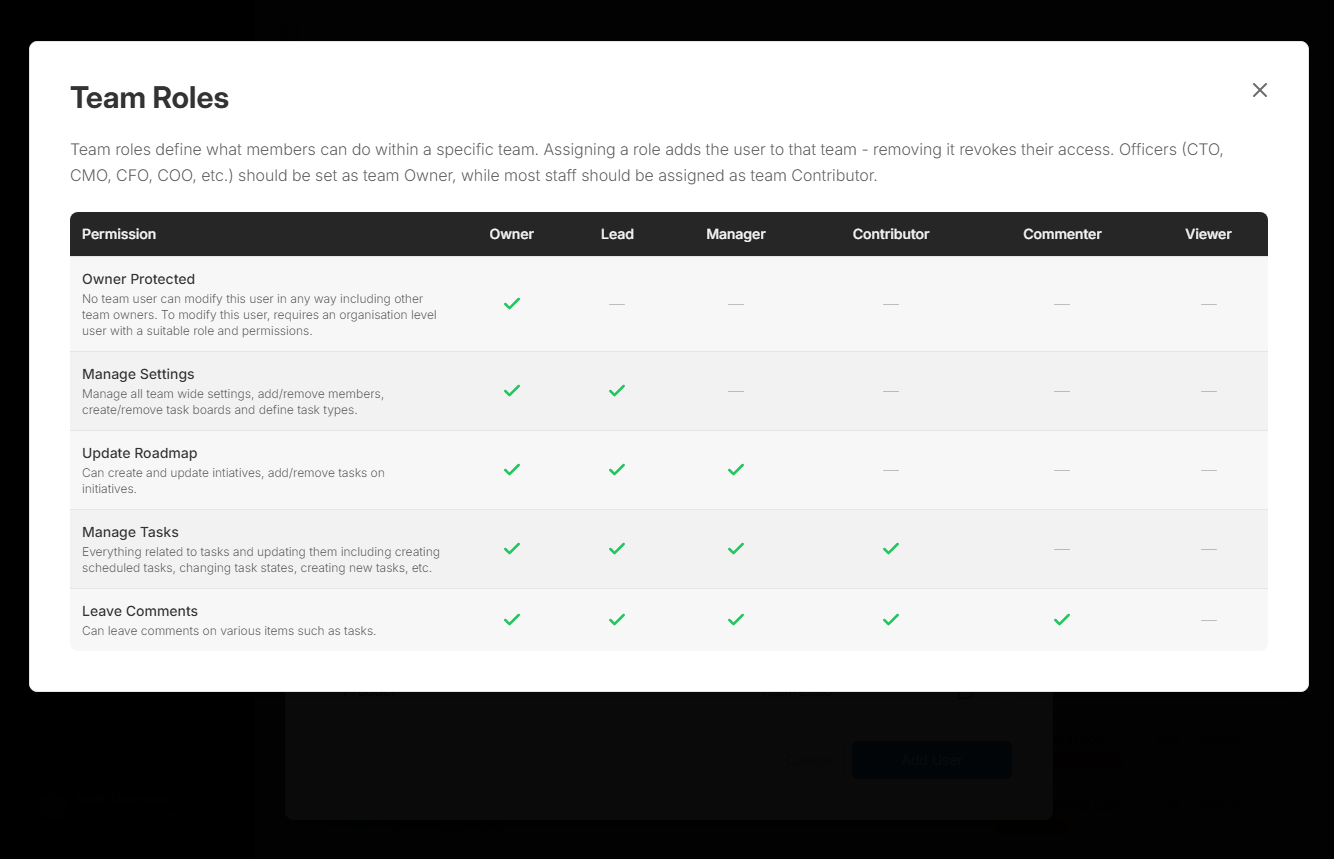
Team Roles
Separate permissions for team admins, regular members, and viewers. Grant the right access at the team level.
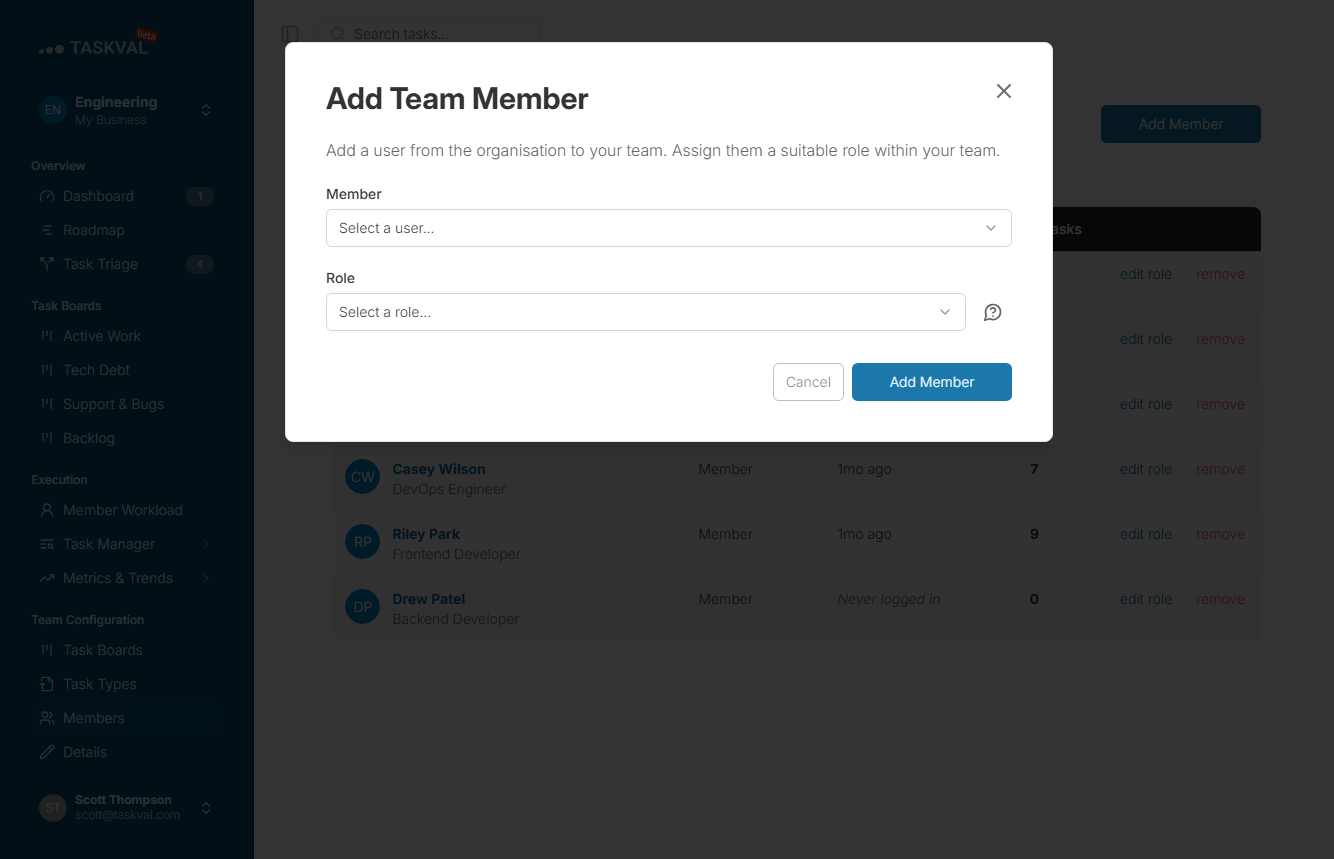
Secure Team Invitations
Invite team members via a secure email link. No password sharing and no admin bottleneck to unblock new starters.
Account
Personal Tasks and Account Settings
Your personal corner of the platform. See all your tasks across every team, manage notifications, and keep your account secure - all from one place.
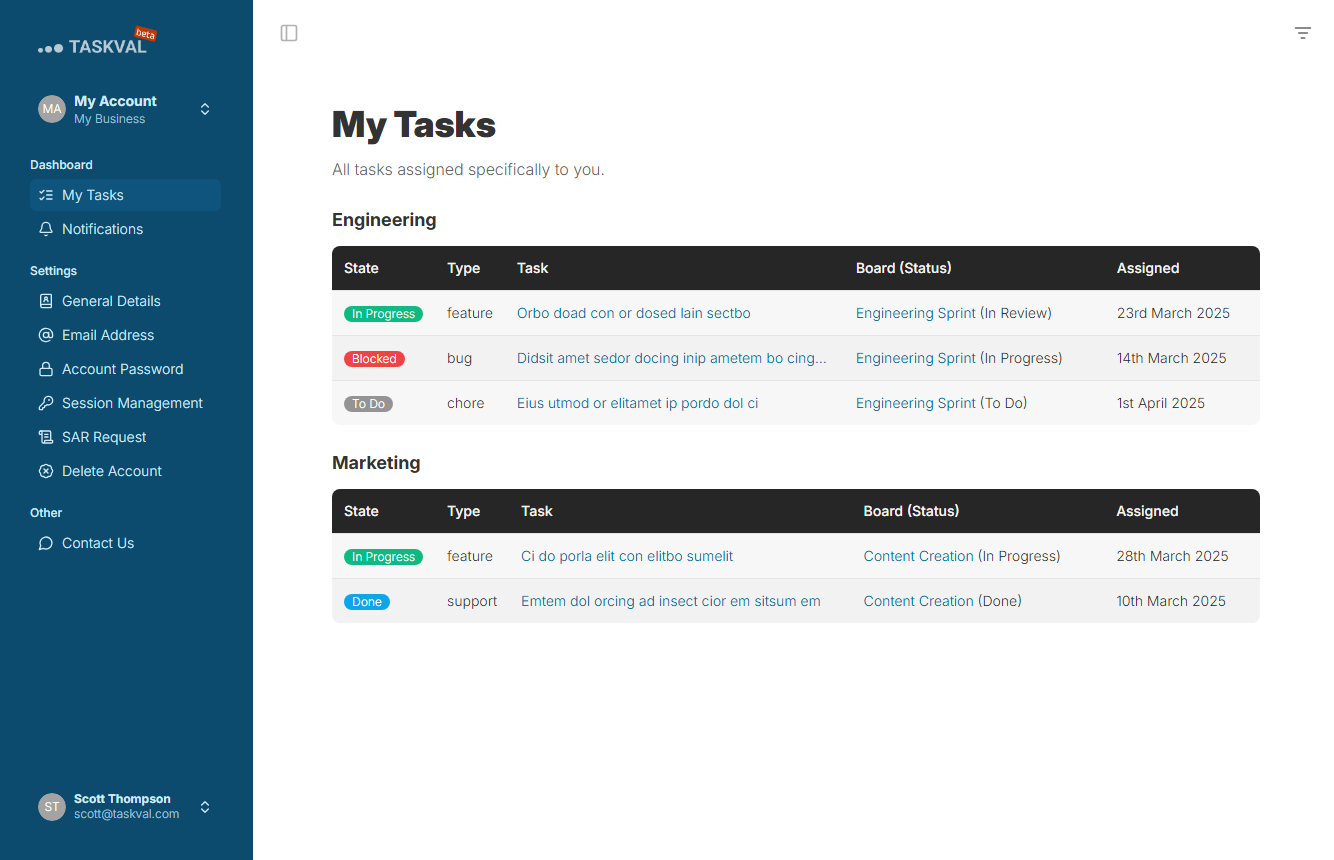
My Tasks
Every task assigned to you across all the teams you belong to, in one personal view - not buried inside each team board.
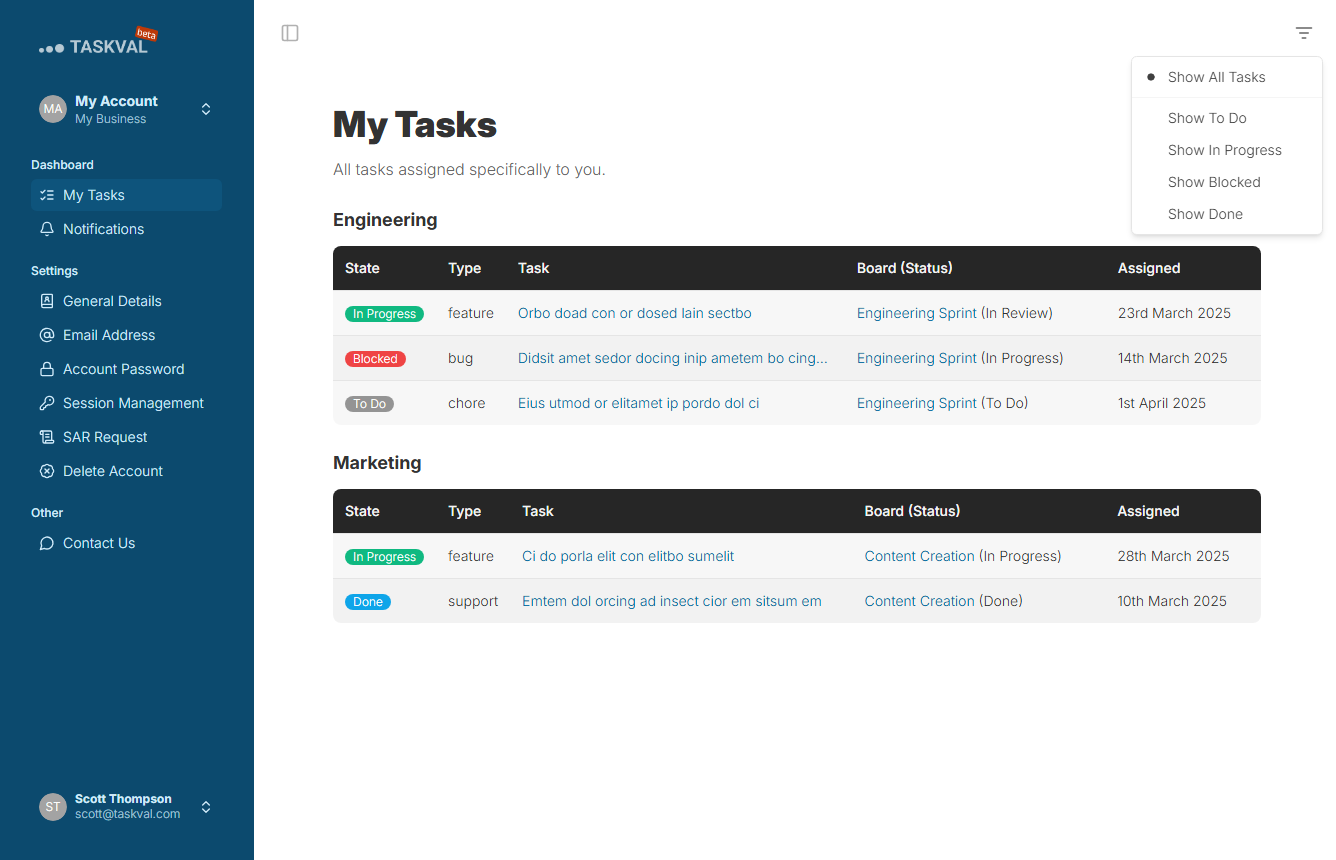
My Tasks - Filtered
Filter your personal task list by team, status, type, or initiative to focus on what matters right now.
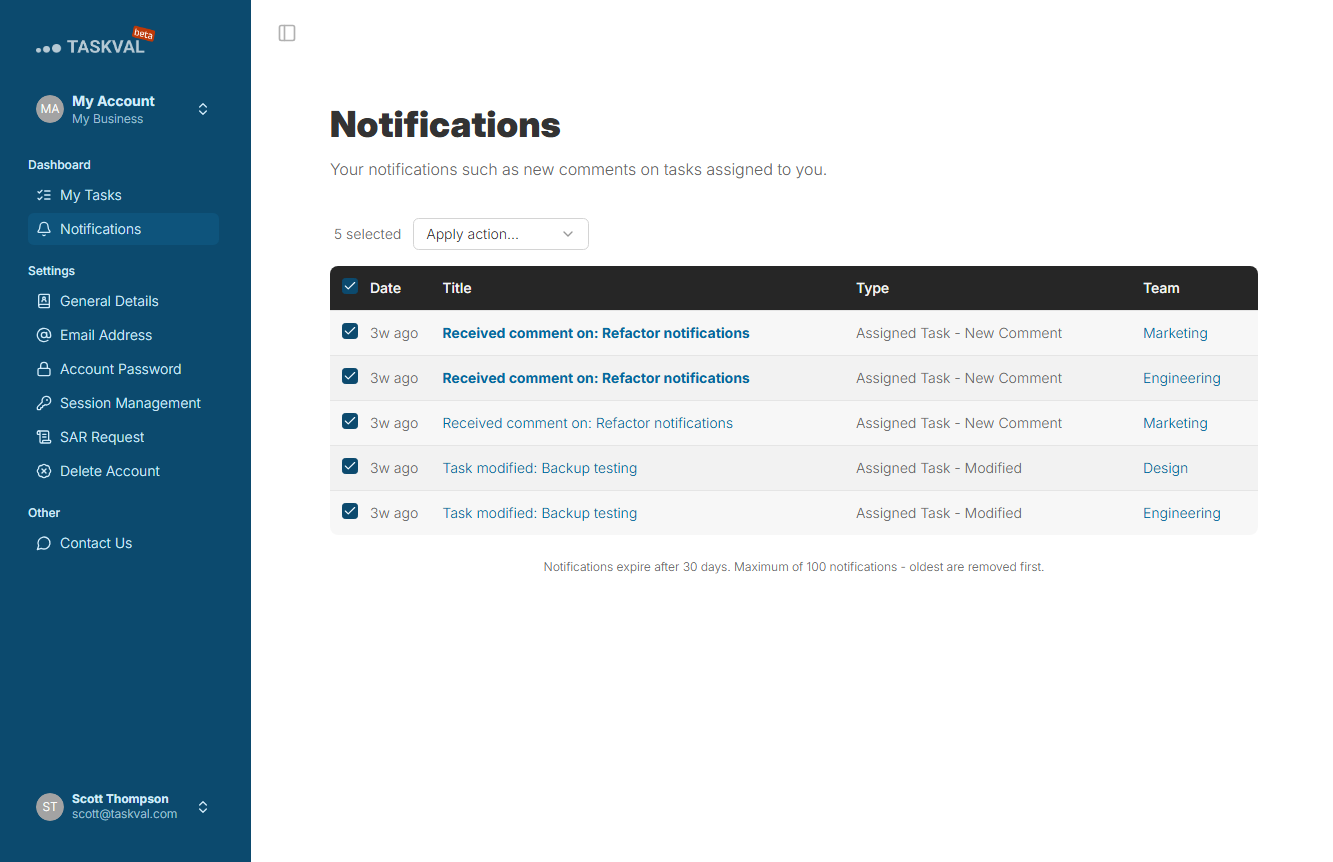
Notifications
Activity across all your tasks and teams in one place - stay informed without checking each board individually.
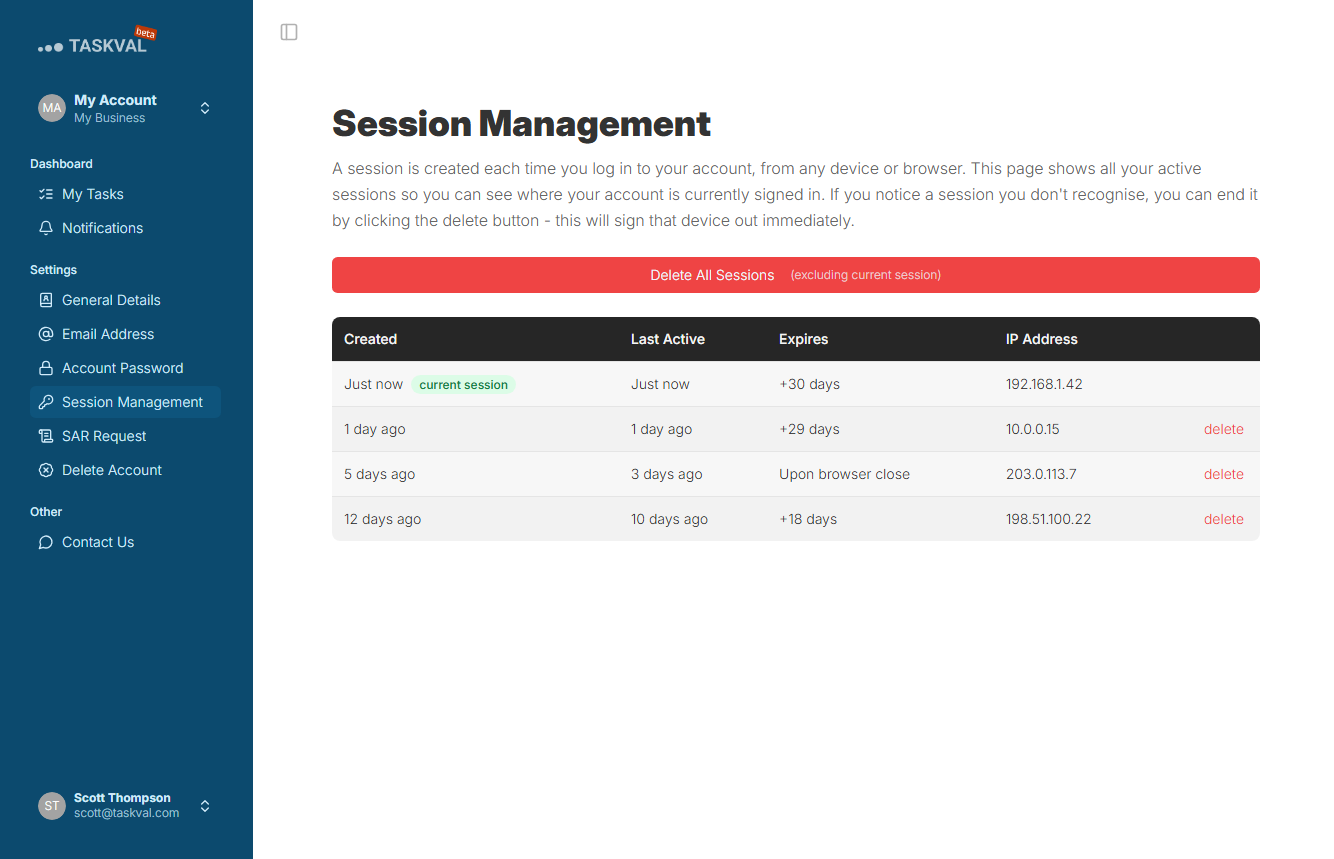
Session Management
Review all active login sessions and revoke access from any device. Your account security, under your control.